Fun Demos
There’s a specific moment that happens when someone skeptical about specialized hardware sees tt-toplike running. Their face shifts. The demos in this chapter produce that moment reliably. They’re not benchmarks. They’re invitations — to look, to question, to want to understand what the machine is actually doing.
Four demos. Each one stands alone. All of them run on your QB2 today.
Demo 1: Arcade Mode
Open a terminal. Start a model serving in another session, or just leave the hardware idle. Then run:
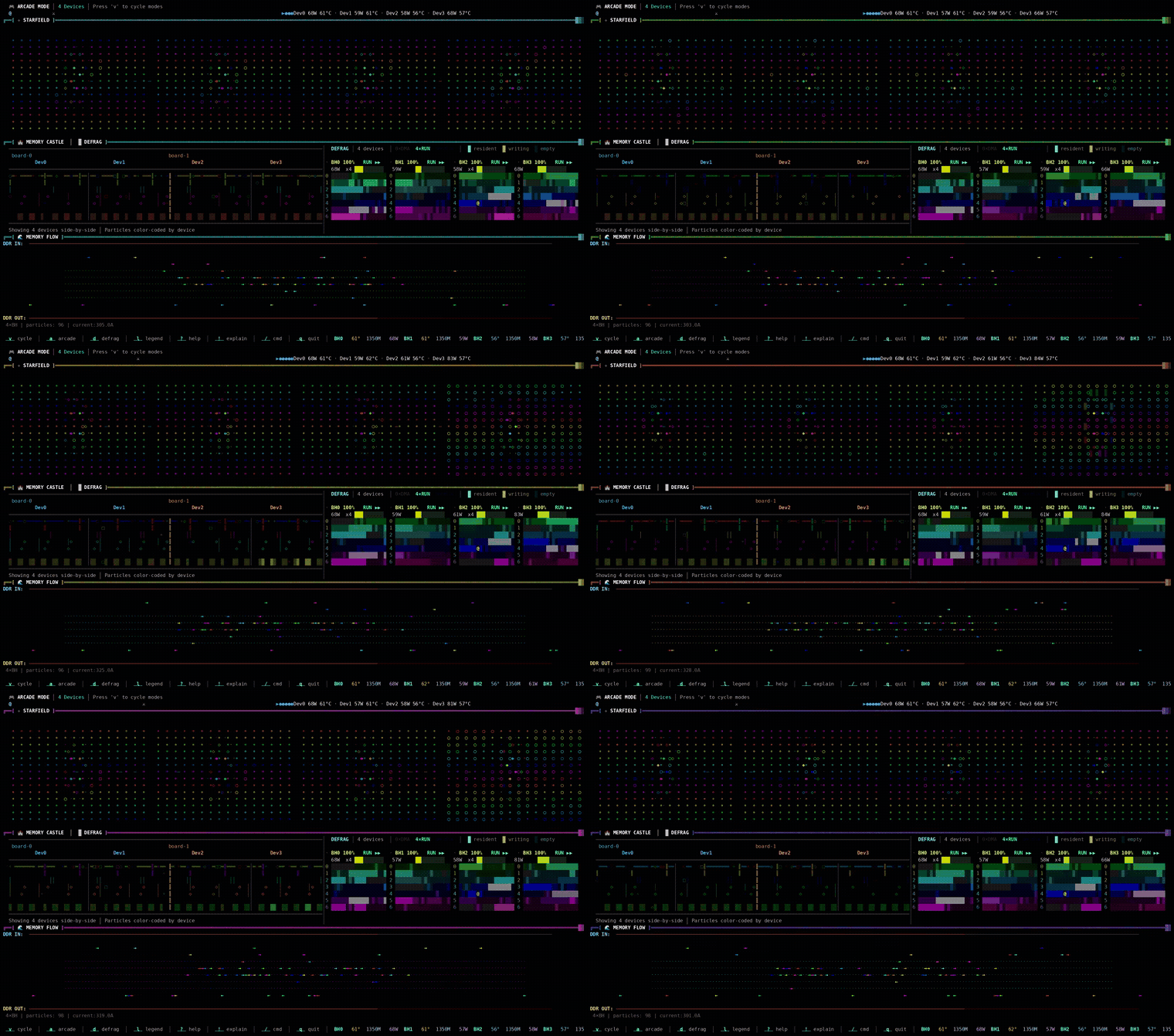
tt-toplike --mode arcadeThe screen fills. A hero character moves with chip telemetry — position, speed, direction all derived from actual hardware readings. AICLK frequency, power draw, thermal state. The game is the monitor. The monitor is the game.
This is the first thing to show anyone who claims hardware monitoring is inherently boring. It isn’t. It just needs better defaults.
To exit: q or Ctrl-C.
The demo lands harder when the chips are busy. Start a model in one terminal, then open arcade mode in another. The activity you see reflects real computation.
Install tt-toplike if it isn’t already present:
# tt-toplike is in the Tenstorrent apt repository (set up by tt-installer):
sudo apt update && sudo apt install tt-toplike

# "Repository is not signed"? The signing key is missing — see
# /tinkerer/04-break-and-fix/ pattern 9, or re-download it:
#   sudo curl -fsSL -o /etc/apt/keyrings/tt-pkg-key.asc https://ppa.tenstorrent.com/tt-pkg-key.asc

# No repository on this machine? Install the .deb from GitHub releases instead:
# https://github.com/tenstorrent/tt-toplike/releases
sudo dpkg -i tt-toplike_*.deb
# Or: cargo install tt-toplike
Demo 2: Flow Mode
Where arcade mode is expressive, flow mode is accurate-expressive. Run:
tt-toplike --mode flowParticle streams trace the NOC — Tenstorrent’s Network on Chip. During inference, data moves from the DRAM perimeter into the compute cores and back out again, each hop a real transaction on a real fabric. Flow mode makes those streams visible as animated particles.
Watch what happens when you start or stop inference. The particle density changes. The path patterns change. You’re watching the chip’s actual communication graph in motion.
This one tends to generate the most questions. “What are those things?” is how good conversations start.
Demo 3: AI Video Generation — Live Generative Art
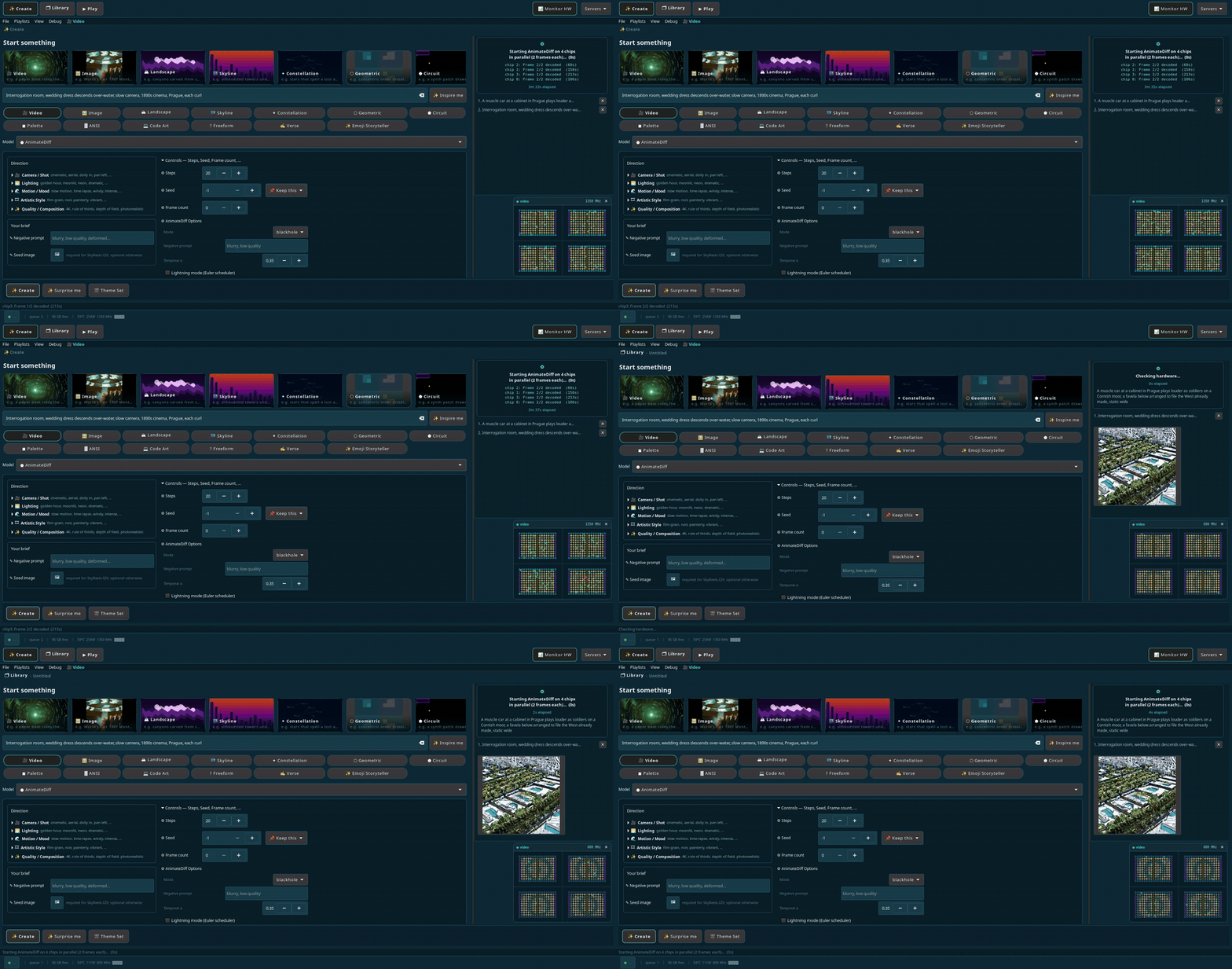
tt-local-generator is a GTK4 desktop app that runs video generation entirely locally, no API key, no cloud dependency. The Wan2.2 text-to-video model produces 480×832 clips using all four Blackhole chips. Each clip takes roughly six minutes.
Set up a continuous generation loop and you have a generative art installation:
# tt-local-generator is in the Tenstorrent apt repository (set up by tt-installer):
sudo apt update && sudo apt install tt-local-generator

# Launch the app
tt-local-generator
No repository on this machine? Install the .deb from GitHub releases instead — releases page:
sudo dpkg -i tt-local-generator_*.debtt-local-generator-models-all is also in the PPA — a metapackage that pulls every supported model family (~360 GB). Worth knowing it exists; not something to apt install on a whim. Pull individual model weights as you need them instead.
In the app, open the video generation panel. Write a prompt. Let it run. The app has an “attractor mode” that generates clips continuously and plays them fullscreen. Walk away. Come back to a wall of generated cinema.
For a polished installation setup — fullscreen display, auto-start on login, continuous prompts — see the QB2 video generation lesson.
The AnimateDiff integration in tt-local-generator also runs natively on QB2. Shorter clips, different aesthetic, same local-only principle. See tt-animatediff for the standalone library.
Demo 4: Local 70B with No Internet Required
Four chips. A language model with 70 billion parameters. No API key. No latency spike from a datacenter on another continent.
The fastest path is through tt-inference-server, which handles the Docker container and weight caching automatically:
docker run \
  --env "HF_TOKEN=$HF_TOKEN" \
  --ipc host \
  --publish 8000:8000 \
  --device /dev/tenstorrent \
  --mount type=bind,src=/dev/hugepages-1G,dst=/dev/hugepages-1G \
  --volume volume_id_tt_transformers-Llama-3.3-70B-Instruct:/home/container_app_user/cache_root \
  ghcr.io/tenstorrent/tt-inference-server/vllm-tt-metal-src-release-ubuntu-22.04-amd64:0.16.0-669d59e-3334377 \
  --model meta-llama/Llama-3.3-70B-Instruct \
  --tt-device p300x2
p300x2 is the spec matching a QuietBox 2 — two P300 cards, four Blackhole chips. Older notes
said p150x4, which addresses the same four chips with a less card-aware fabric description.
Both can load a model; they are separate spec entries with different pinned commits, and
p300x2 is the validated one for this model. If that image tag
has moved on, add --print-docker-cmd to the run.py equivalent to read the current one:
cd ~/.local/lib/tt-inference-server
python3 run.py --model Llama-3.3-70B-Instruct --tt-device p300x2 \
  --workflow server --docker-server --print-docker-cmd
Wait for Application startup complete — first run downloads 140 GB of weights, so plan ahead. Then ask it something that requires reasoning:
curl -s http://localhost:8000/v1/chat/completions \
  -H "Content-Type: application/json" \
  -d '{
    "model": "meta-llama/Llama-3.3-70B-Instruct",
    "messages": [{"role": "user", "content": "Explain the tradeoffs between data-parallel and model-parallel inference for large language models. Be specific about memory and latency."}]
  }' | python3 -c "import json,sys; d=json.load(sys.stdin); print(d['choices'][0]['message']['content'])"
The response comes from silicon in your own office. The model that required a specialized cloud service a year ago runs on hardware you own.
That’s the demo.
For the full walkthrough — prerequisites, HuggingFace token setup, the DeepSeek reasoning model variant, and troubleshooting — see Running Llama-3.3-70B on QB2.
One Blackhole chip running a slice of Llama-3.1-70B. All four of yours look like this, simultaneously.

Demo 5: TT-Forge Compiletron — Hunt the Wild Model
The premise is simple: compile as many models as possible, score points, and try not to hit something that crashes the runtime.
tt-forge-compiletron is a roguelike model compilation game. It is also a genuine engineering survey tool. The gameplay loop runs models from the tt-forge-models zoo (200+ curated PyTorch and JAX models) through forge.compile() on your Blackhole chips. Each successful compile earns points. First-ever compile of a model earns a ×5 multiplier. The scoring system rewards breadth, rarity, and speed.
The TUI is three screens running in a Textual interface: a model queue on the left, live per-chip compilation status in the center, and a running scoreboard with ASCII art banners rendered in pyfiglet. When a model compiles successfully, the First Voice feature kicks in — a themed inference pass that prints the model’s first decoded output on Tenstorrent silicon. The first time a language model generates a token on your hardware, it announces itself with a banner.
The bestiary at data/bestiary.json grows with every session. It records compile status, timing, and failure class for every model attempted. Come back later and it knows what you’ve already conquered.
Set up and launch:
cd ~/code/tt-forge-compiletron
source ~/tt-forge-fe/env/activate
python3 expedition.py run --tui --seed-only --limit 8 --chips 4
--seed-only pulls from the curated zoo only, --limit 8 caps the session at eight models, --chips 4 assigns all four Blackhole cards. A good starting session.
First Voice is the payoff. After each successful compile, the game runs one inference pass and prints the model’s decoded output. A sentiment classifier labeling its first sentence. A ResNet identifying its first image. A GPT-2 generating its first token. Watch the chip do something real with what it just learned to run.
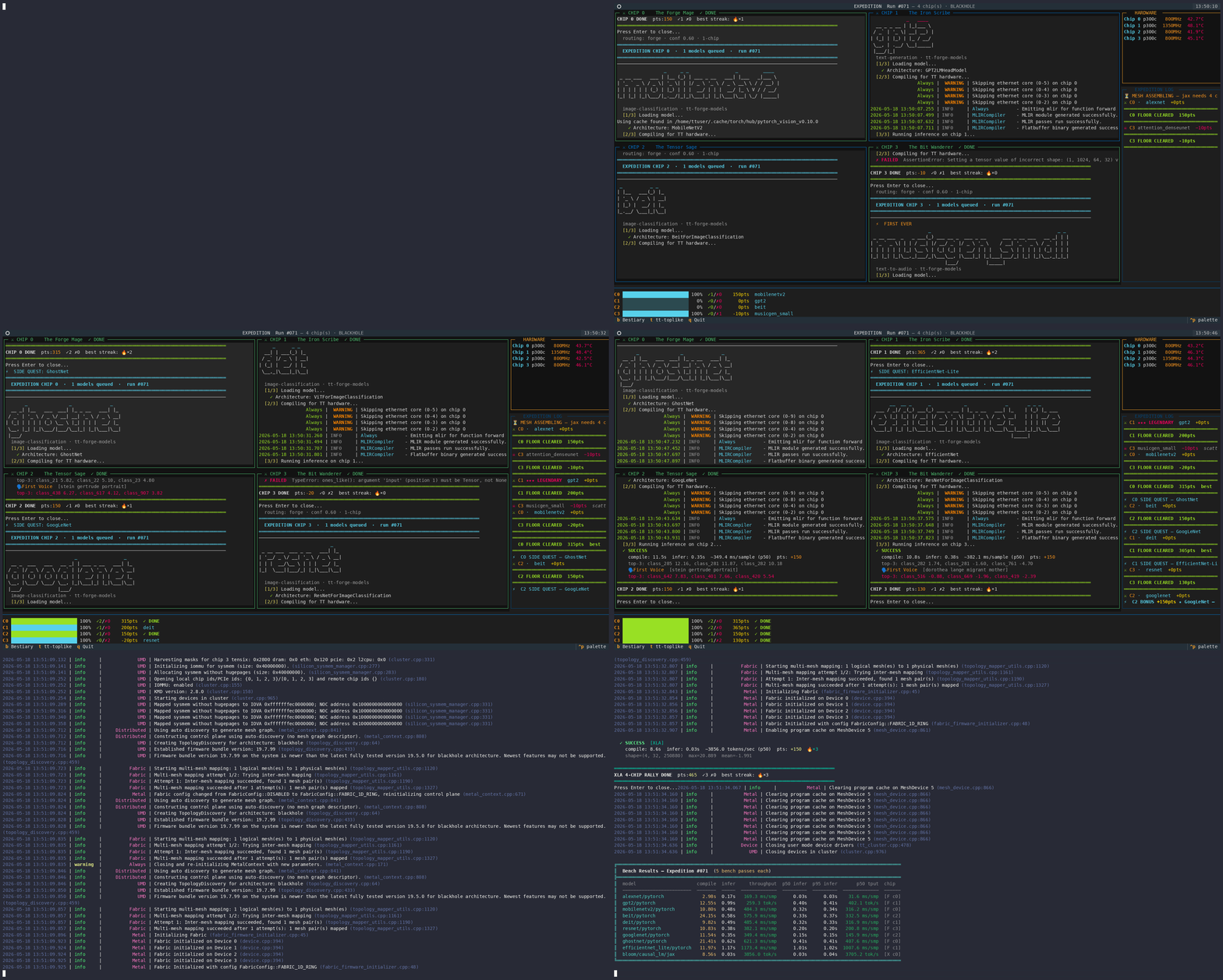
Four genuine Blackhole chips across two p300c cards, joined by the Samtec link. The model-zoo game compiles a different model on each, in parallel.
Demo 6: tt-bio — Watch a Protein Fold in Real Time
Not every demo has to be about tokens. tt-bio runs Boltz-2 — a biomolecular structure and binding-affinity model — on Blackhole, approaching physics-based free-energy-perturbation accuracy at roughly 1000× the speed. It scales from a single card up through a full QuietBox (4×) to a Galaxy (32×), and it’s an actively released project, not a one-off port.
# The [tenstorrent] extra is required — without it, install-deps refuses with
# "needs the ttnn wheel, which is not installed"
pip install "tt-bio[tenstorrent] @ git+https://github.com/moritztng/tt-bio.git"
tt-bio install-deps

# Fold a protein from a sequence spec — MSA runs automatically by default
# (local DB, falling back to a public server); no flag needed for that.
# --single_sequence skips MSA entirely if you want a fast, lower-accuracy pass.
tt-bio predict your-protein.yaml --model boltz2
tt-bio install-deps pins a specific ttnn build and will silently downgrade your system’s sfpi package to match it (observed: 7.67.0 → 7.35.3 on a QB2 with the current apt-installed sfpi). Check dpkg -l sfpi before and after if you have other tt-metal work depending on a specific sfpi version, and reinstall the version you need afterward if it matters (sudo apt install --allow-downgrades sfpi=<version>).
It also supports newer structure-prediction and binder-design models — ESMFold-2, Protenix v2, OpenFold3 (AlphaFold3-style folding of protein/RNA/DNA), and design tools like BoltzGen and RFdiffusion3 (tt-bio design INPUT --model boltzgen).
For the demo-floor version of this, there’s tt-bio-demo: a native GTK4/OpenGL booth app that renders a protein condensing out of noise into its folded structure live, with per-residue confidence coloring and a Tensix core grid alongside the render. Its quad view runs four independent folds on four chips at once — one per Blackhole on a QB2 — which makes the same “the monitor is the demo” point as arcade mode, but for structural biology instead of telemetry.
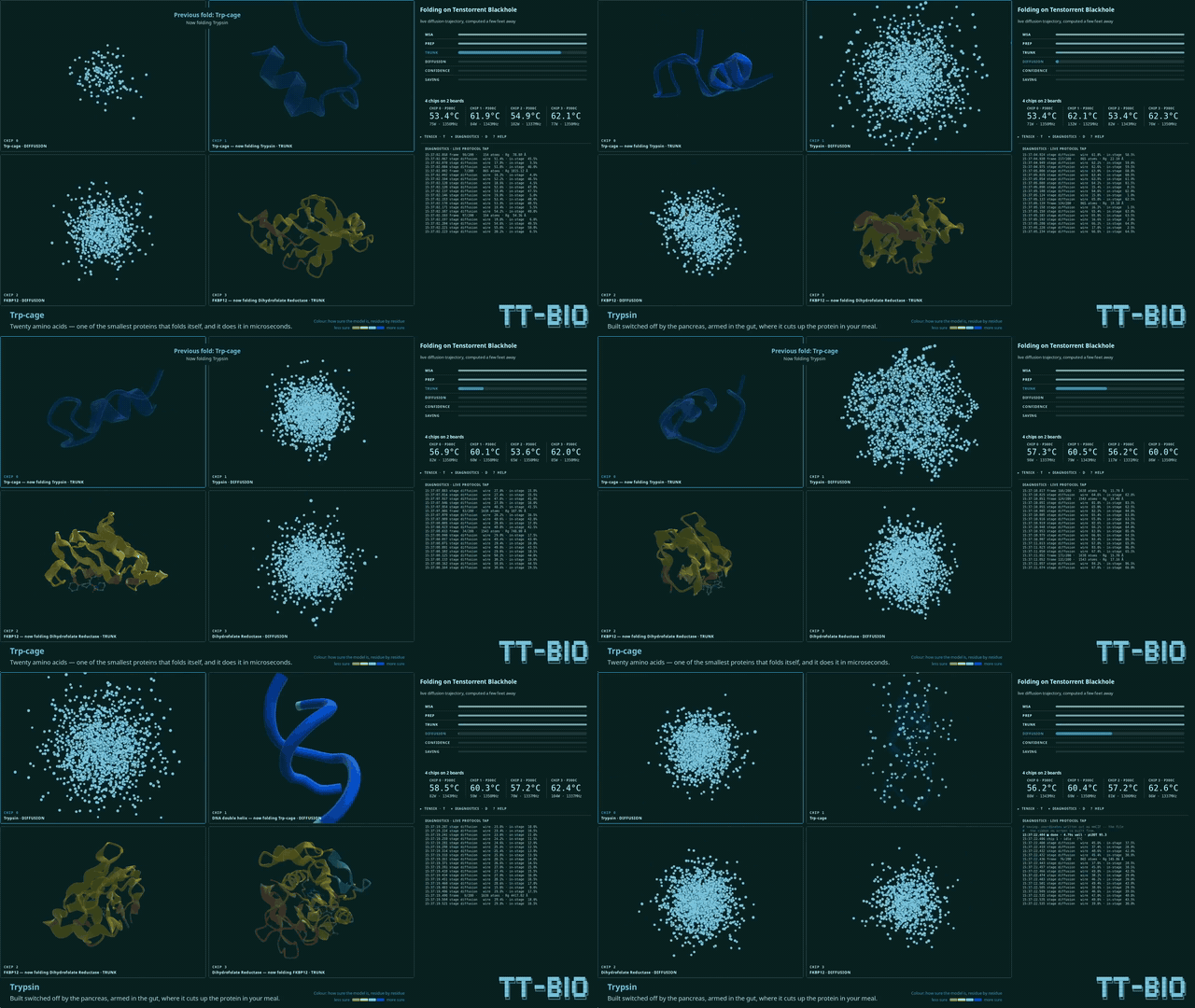
This is the demo for a room that’s already seen an LLM answer a question. Watching silicon fold a protein in real time tends to land differently — it’s a visibly physical computation, not a chat response.
Next: Ubuntu Customization →