The Model Zoo
Four chips. Up to 560 Tensix compute cores available at once. The question isn’t whether the hardware can handle real models — it’s which ones, at what scale, and how to get them here.
What’s Supported
The QB2 supports a focused set of model families, optimized for Blackhole silicon. These aren’t compatibility hacks — they’re models with hand-tuned TTNN kernels for the Blackhole architecture, validated for throughput and output quality.
| Model Family | Variants | Chips Required | Disk Space |
|---|---|---|---|
| Qwen3 | 0.6B, 8B, 14B | 1 (0.6B/8B), 2-4 (14B) | 1.5 GB / ~16 GB / 28 GB |
| Qwen3 | 32B | 4 | ~64 GB |
| Llama 3.1 | 8B-Instruct | 1 | ~16 GB |
| Llama 3.1 | 70B-Instruct | 4 | ~140 GB |
| Llama 3.3 | 70B-Instruct | 4 | ~140 GB |
| Mistral | 7B-Instruct | 1 | ~14 GB |
The model zoo lesson in tt-vscode-toolkit covers this in interactive depth, with live benchmarks you can run against your own QB2: tt-vscode-toolkit lessons →
Beyond text: video and image generation
The QB2 isn’t only a text box. tt-studio (v2.8.0 and current as of v2.10.0) adds two generative-media families to the same deploy-and-run flow:
- WAN — text-to-video. Describe a scene, get a short generated clip.
- Flux — text-to-image. A high-quality diffusion image generator.
They deploy exactly like the language models: open tt-studio at localhost:3000, pick the model from the Deploy Model dropdown, and click Run. tt-studio spins up the right container on your Blackhole chips and gives you a prompt box — no pipeline code, no separate install.
Which UI for media? tt-studio now handles video and image generation in the browser. tt-local-generator is the GTK4 desktop app for the same job — both sit on top of tt-inference-server, so pick whichever fits how you like to work. For a guided walkthrough of video specifically, see the QB2 Video Generation lesson.
These are heavier than an 8B chat model — a text-to-video diffusion run leans on more of the board than a single-chip LLM. If a deploy is slow to go green the first time, that’s compilation and weight loading; subsequent runs load from the on-disk cache.
Picking a Starting Point
Qwen3-0.6B is the fastest way to confirm the stack is working. It downloads in seconds, loads in under a minute, and produces real answers. Think of it as the “hello world” of this hardware — with one caveat worth knowing before you build a plan around it: it is absent from tt-inference-server’s model list, so run.py --model Qwen3-0.6B has nothing to select. It’s a smoke test for direct TTNN work and for a hand-rolled vllm serve, not a model you can deploy down the managed path.
Llama-3.1-8B-Instruct is where you start if you need production-quality output on a single chip. Strong reasoning, strong instruction-following, 128K context. The model most people actually use for serious work on a single Blackhole.
Qwen3-8B is a strong alternative in the same size class as Llama-3.1-8B. Use it if your workload benefits from Qwen’s architectural choices, or to compare against the 0.6B for quality/speed tradeoffs. Note that tt-inference-server lists it for p300 (two chips) but not p300x2 — and the two-chip mesh is the one that has failed fabric bring-up on our hardware. Llama-3.1-8B-Instruct, which has both a p300 and a p300x2 entry, is the lower-risk pick in this size class on a QB2.
Llama-3.1-70B-Instruct requires all four chips and 140 GB of storage. It’s the top-of-rack option for workloads where quality is the priority. Inference speed is lower than the 8B, but the output quality difference is real on complex tasks.
Qwen3-32B is the best zero-download default: it comes pre-cached on QB2, so there’s no multi-gigabyte pull standing between you and a real model. It needs all four chips (32B is the same size class as a 70B for chip-sizing purposes — use --tt-device p300x2), runs a 131K context window, and serves up to 8 concurrent requests. If you want a strong model running in the next sixty seconds, this is it.
Llama-3.3-70B-Instruct is the flagship choice — the same four-chip, 131K-context, up-to-8-concurrent profile as Qwen3-32B, but Meta’s newest 70B-class weights for maximum output quality. See the dedicated Llama-3.3-70B lesson for a full walkthrough.
Model-Suitability Caveats
Two more models are worth knowing about before you reach for them — especially for agentic or tool-calling use (see agents.md’s Coding Agents section for the tt-studio gateway setup), because neither holds up well under sustained multi-step agent loops:
gemma-4-31B-it — EXPERIMENTAL. In our testing this model crashed the runtime under sustained
agentic load. It’s also the most context-limited of the models in this chapter (49K vs. 131K+
for the Qwen3/Llama models) and only serves one request at a time
(max_num_seqs=1, single-stream — no continuous-batching headroom). Fine for short, supervised
sessions; don’t point a long-running agent loop at it yet.
Qwen3.6-27B — reasoning-first, not agent-first. It has the longest context window here
(262K) and a dedicated tool parser (qwen3_coder), but it’s tuned to reason at length before
acting, which tends to derail multi-step agent/tool loops that expect fast, decisive tool calls.
Like gemma-4-31B-it, it’s single-stream (max_num_seqs=1). Good for one-shot reasoning-heavy
prompts; not the model to hand an autonomous coding agent.
Downloading Models
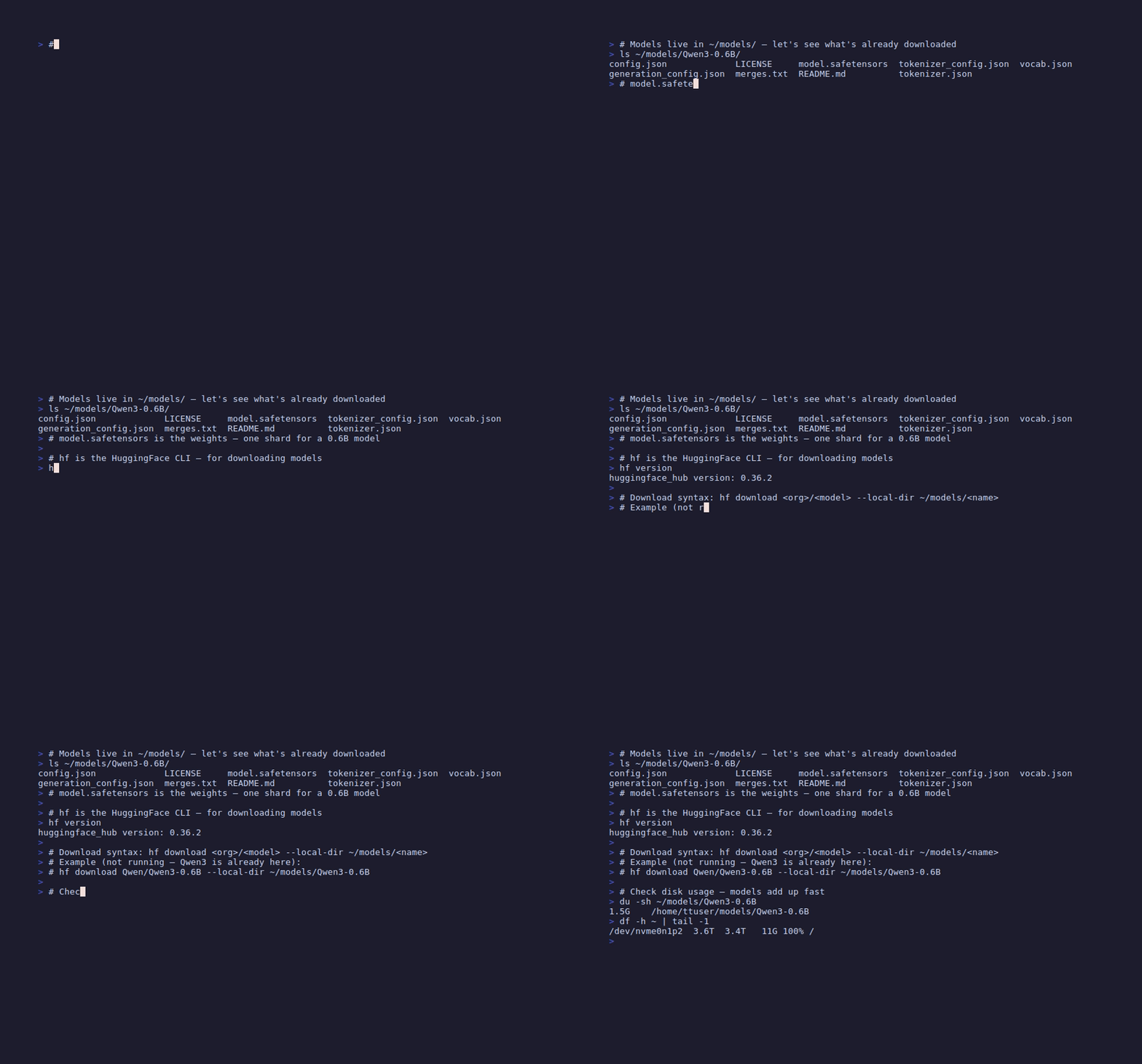
Downloads go through the hf CLI — not huggingface-cli, not Python API calls. It’s faster and it handles partial downloads and resumption correctly.
It is not pre-installed. huggingface_hub isn’t in any environment tt-installer creates, so
hf won’t be on your PATH out of the box. Install it into an environment of its own — not
~/.tenstorrent-venv, which holds tt-smi and tt-flash and is activated for you at login:
uv tool install huggingface_hub     # or: pipx install huggingface_hub
hf version
# Make sure the models directory exists
mkdir -p ~/models
# Qwen3-0.6B — 1.5 GB, fast start
hf download Qwen/Qwen3-0.6B --local-dir ~/models/Qwen3-0.6B
# Llama-3.1-8B-Instruct — 16 GB, requires HF login with license acceptance
hf download meta-llama/Llama-3.1-8B-Instruct --local-dir ~/models/Llama-3.1-8B-Instruct
# Qwen3-8B — ~16 GB
hf download Qwen/Qwen3-8B --local-dir ~/models/Qwen3-8B
# Llama-3.1-70B-Instruct — 140 GB, plan your storage
hf download meta-llama/Llama-3.1-70B-Instruct --local-dir ~/models/Llama-3.1-70B-InstructLlama models require accepting the Meta license on Hugging Face first. If hf download returns a 401 or 403, run hf login and authenticate with a token that has access to the gated model.
Check your disk space before downloading large models. df -h ~/models shows available space. The 70B model is 140 GB — if your root partition is 256 GB, that’s a significant commitment. A partial download leaves the directory in an incomplete state; use hf download --resume-download to continue interrupted downloads.
Model Storage Layout
Every Tenstorrent tutorial uses the ~/models/<family>-<variant>/ convention. The tt-inference-server --model flag accepts a path or a model name, but matching the convention means tutorial commands work verbatim.
~/models/
  Qwen3-0.6B/
    config.json
    tokenizer.json
    model.safetensors
    ...
  Llama-3.1-8B-Instruct/
    config.json
    tokenizer.json
    model-00001-of-00004.safetensors
    ...
    ...
  Llama-3.1-70B-Instruct/
    ...
Shard count depends on model size, not family — small models like Qwen3-0.6B download as one
model.safetensors file; larger ones split across several model-0000N-of-0000M.safetensors
files (verified against the actual repo file listings: Qwen3-0.6B is genuinely single-file —
confirmed by downloading it — and Llama-3.1-8B-Instruct is 4 shards).
Qwen3 Reasoning Modes
Qwen3 models support two inference modes: thinking mode and non-thinking mode. In thinking mode, the model emits <think>...</think> tokens before its final answer — extended chain-of-thought reasoning that improves quality on multi-step problems at the cost of more tokens and higher latency.
When calling through the OpenAI-compatible API, enable_thinking is a chat-template
parameter, not a top-level sampling one — it goes through extra_body’s chat_template_kwargs,
the same way vLLM passes any other kwarg into the tokenizer’s apply_chat_template():
# Thinking mode (default for Qwen3) — slower, more thorough
response = client.chat.completions.create(
    model="Qwen/Qwen3-32B",
    messages=[{"role": "user", "content": "What is 17 * 23 + 48?"}],
    extra_body={"chat_template_kwargs": {"enable_thinking": True}}
)

# Non-thinking mode — faster, direct answers
response = client.chat.completions.create(
    model="Qwen/Qwen3-32B",
    messages=[{"role": "user", "content": "What is 17 * 23 + 48?"}],
    extra_body={"chat_template_kwargs": {"enable_thinking": False}}
)
Leave room for the thinking block. With thinking on and a tight max_tokens, the entire
budget goes into <think>…</think> and you get back finish_reason: "length" with no answer at
all — which reads like a broken model rather than a truncated one. Either raise max_tokens or
pass extra_body={"chat_template_kwargs": {"enable_thinking": False}}, as above.
For conversational workloads where speed matters, non-thinking mode is the better choice. For tasks where the reasoning trace improves output quality — math, code, multi-hop questions — thinking mode earns its overhead.
Single-Chip vs. Four-Chip Layout
When you run a single-chip model, all 120 Tensix cores on one chip handle the entire forward pass. When you scale to four chips with tensor parallelism, attention heads split across chips and activations flow chip-to-chip via the Ethernet cores in the left and right columns of the grid.
One chip for small models. Four chips sharing attention heads for 70B scale.
Check Space Before Downloading
# Check available space
df -h ~/models

# Verify a download completed (no missing shards)
ls -lh ~/models/Llama-3.1-8B-Instruct/*.safetensors | wc -l
A correctly downloaded Llama-3.1-8B-Instruct should have 4 safetensors shards. Qwen3-0.6B has 1.
Next: Serving Models on QB2 →