What Comes Next
You unboxed a machine that most people have never touched. You confirmed four Blackhole chips were alive and talking to the system. You navigated Python environments that would trip up someone who wasn’t paying attention. You ran a model on accelerator hardware and watched tokens come back. That’s not a tutorial warmup — that’s the actual thing.
The rest is up to you.
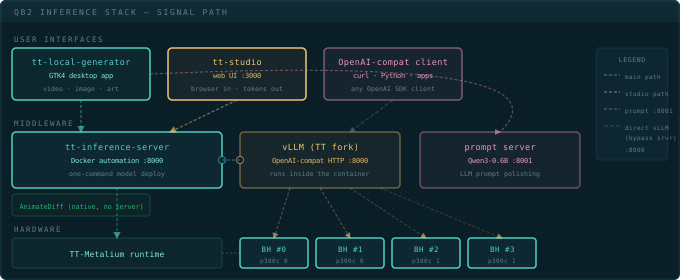
Tools in Your World
The QB2 ships with a full stack, but the ecosystem is bigger. Start with tt-toplike — htop for your chips, except the telemetry comes alive as ASCII art:
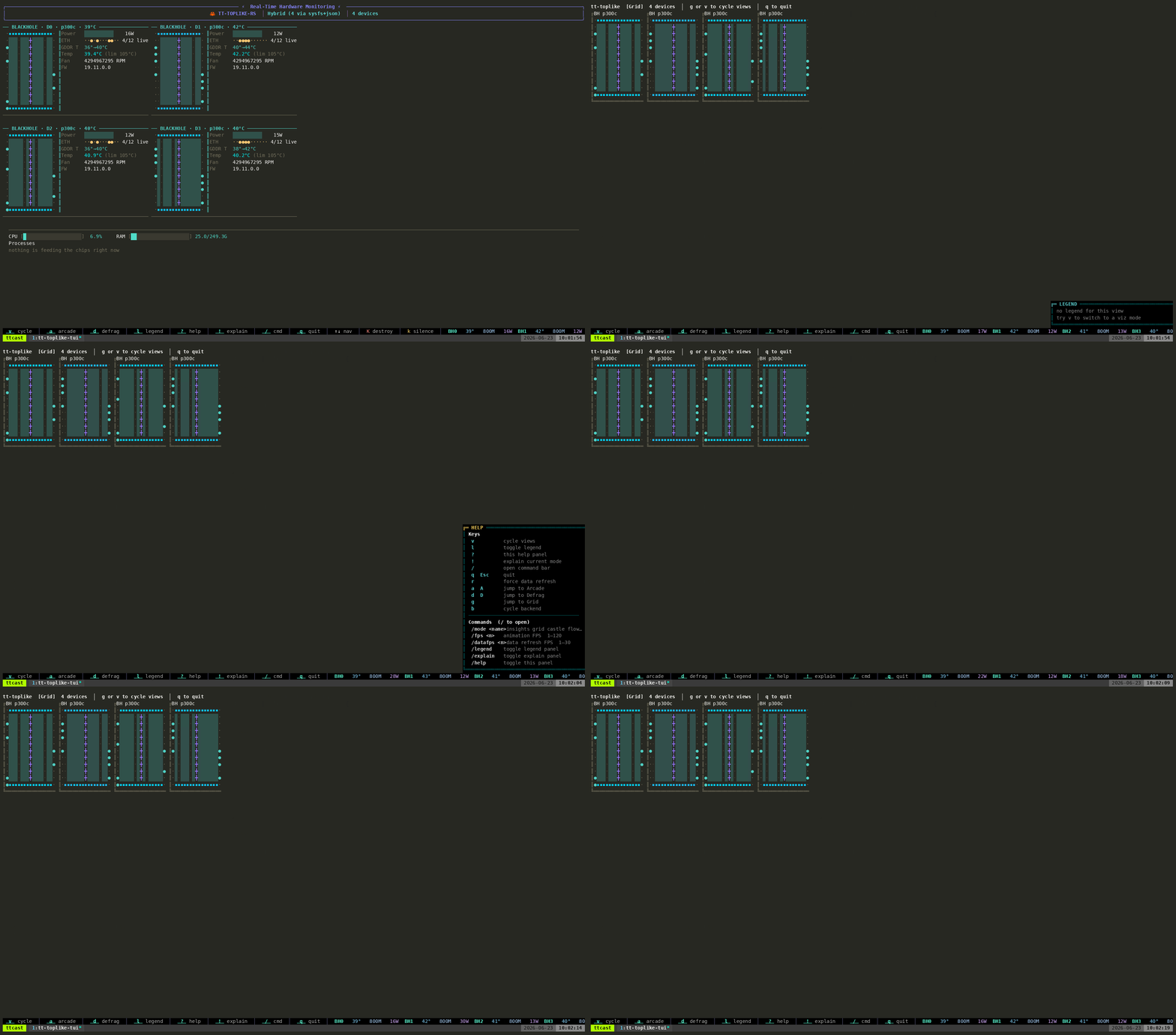
GitHub ↗
tt-toplike
Real-time hardware monitor — htop for your chips: temps, power, utilization, DRAM bandwidth, live in the terminal.
GitHub ↗
tt-studio
Web UI for model serving. Pick a model, click Run, get tokens — plus Claude Code / OpenCode backing, video and image generation, a deployable general agent, and (new in v2.10.0) an Apps Marketplace with hybrid RAG.
Site ↗
tt-local-generator
GTK4 desktop app for video, image, and art generation on QB2, on top of tt-inference-server.
GitHub ↗
tt-inference-server
Docker-based one-command model deployment — the OpenAI-compatible server tt-studio and tt-local-generator route through.
GitHub ↗
tt-bio
Boltz-2 and friends — protein structure and binding-affinity prediction on Blackhole, scaling from one card to a full QuietBox.
Site ↗
tt-vscode-toolkit
VS Code extension with 40+ interactive lessons that run directly against your QB2.
Site ↗
tt-awesome
Community catalog of everything built on Tenstorrent hardware — models, demos, benchmarks, research.
Where to Go From Here
Pick a thing you want to do and jump straight in.
Lesson ↗
Production Inference with vLLM
Serve a model behind an OpenAI-compatible API.
Lesson ↗
TT-Inference-Server
Run Llama-3.1-8B with one command.
Lesson ↗
Interactive Chat
Chat with an LLM directly in Python.
Lesson →
Running Llama-3.3-70B on QB2
Run the biggest model QB2 supports, across all four chips.
Lesson →
Claude Code on your QB2
Since tt-studio v2.8.0 — point Claude Code or OpenCode at a model running on your own chips. No cloud, no per-token bill.
Lesson ↗
Local AI Agents on QB2
Run AI agents locally on a 70B model.
Lesson ↗
QB2 Video Generation
Generate video on your QB2.
Lesson ↗
Understanding Custom Training
Fine-tuning vs. training from scratch, and the tt-train framework — the on-ramp to building your own models on QB2.
Lesson ↗
Explore TT-Metalium
Build kernels from scratch on the Tensix cores.
Lesson ↗
Cookbook Overview
Write cookbook-style parallel algorithms.
Choose Your Next Track
Run & build →
Serve real models. Understand performance. Integrate with your existing ML workflow. If you're coming from CUDA, this is where the familiar parts live and where the new parts pay off.
Tinker →
Write code that runs on the chips directly — kernels, data movement, compute pipelines. The architecture goes all the way down and you can follow it.
Customize →
Customize, illuminate, break, and fix things. The LEDs, the desktop, the demos that make people stop and ask what that machine is.
The QB2 is a beginning. There’s a lot of surface area here, and you’ve only scratched it.