Blackhole PCIe Cards
This section covers Tenstorrent Blackhole p100a, p150a, and p150b PCIe cards: how to choose a host system, install the cards, connect multiple cards into a mesh, and troubleshoot common problems.
If you want to… |
Go to |
|---|---|
Review ideal host system components before setup, including motherboards, CPUs, cases, and power supplies |
|
Install a card and connect power |
|
Link 2, 4, or 8 cards together |
|
Fix enumeration, power, thermal, or cabling problems |
|
Install drivers, firmware, and TT-Metalium™ |
Choosing a Card
Note
For a desktop build, do not use the p150b card. The p150a has an active cooler for conventional desktop systems. The p150b has a passive heatsink and requires the high static pressure, forced air cooling of a rack-mounted server.
p100a: The entry point in the Blackhole product stack, great for evaluating Tenstorrent technology. It has less GDDR6 than the p150 cards and an active cooler, and is intended for single-card operation in conventional desktop systems. It has no card-to-card ports.
p150a: More GDDR6 than the p100 and four passive 800 Gbps QSFP-DD ports for networking with other cards. It has an active cooler and is intended for single or multi-card operation in conventional desktop systems.
p150b: Identical to the p150a except for the cooling solution. The p150b relies on existing high static pressure, forced air cooling in the host system. It is intended for single or multi-card operation in rack-mounted servers.
Specifications
Specification |
p100a |
p150a |
p150b |
|---|---|---|---|
Part Number |
TC-03008 |
TC-03003 |
TC-03002 |
Tensix Cores |
120 |
120 |
120 |
AI Clock |
Up to 1.35 GHz |
Up to 1.35 GHz |
Up to 1.35 GHz |
“Big RISC-V” Cores |
16 |
16 |
16 |
SRAM |
180 MB |
180 MB |
180 MB |
Memory |
28 GB GDDR6 |
32 GB GDDR6 |
32 GB GDDR6 |
Memory Speed |
16 GT/sec |
16 GT/sec |
16 GT/sec |
Memory Bandwidth |
448 GB/sec |
512 GB/sec |
512 GB/sec |
TeraFLOPS (BLOCKFP8) |
664 |
664 |
664 |
TBP (Total Board Power) |
300W |
300W |
300W |
Idle Power |
75W |
75W |
75W |
External Power |
1x 12+4-pin 12V-2x6 |
1x 12+4-pin 12V-2x6 |
1x 12+4-pin 12V-2x6 |
Power Supply Requirements |
ATX 3.1 Certified or better |
ATX 3.1 Certified or better |
ATX 3.1 Certified or better |
Connectivity |
- |
4x QSFP-DD 800G (Passive)* |
4x QSFP-DD 800G (Passive)* |
System Interface |
PCI Express 5.0 x16 |
PCI Express 5.0 x16 |
PCI Express 5.0 x16 |
Cooling |
Active |
Active |
Passive |
Dimensions (WxDxH) |
42mm x 270mm x 111mm |
42mm x 270mm x 111mm |
42mm x 270mm x 111mm |
*For connecting to Tenstorrent Blackhole-based cards only.
Card Dimensions
p100a
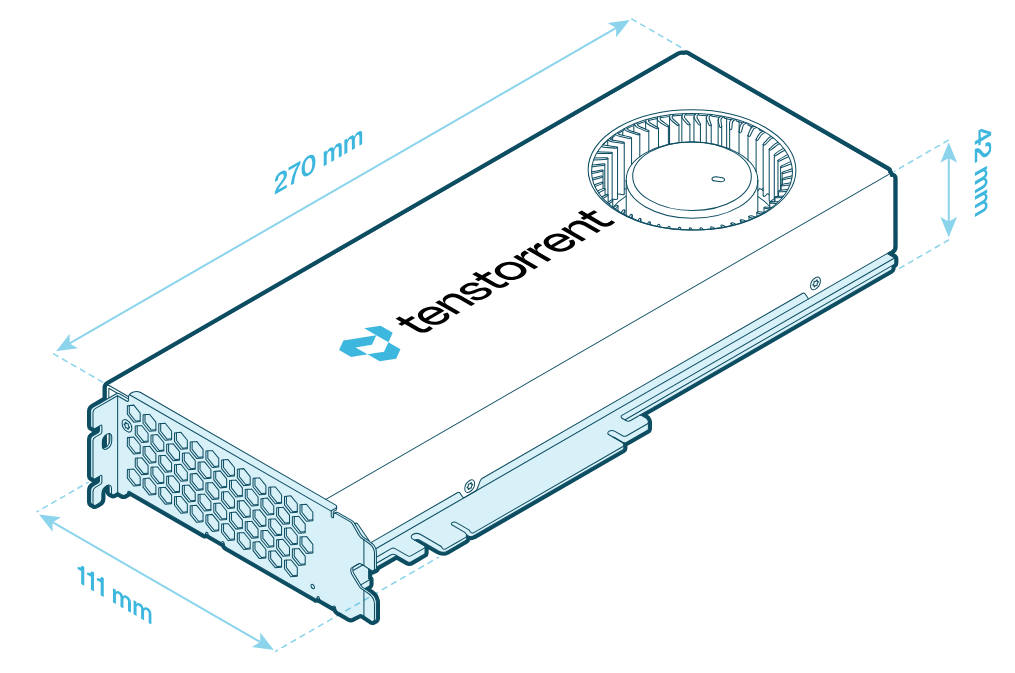
p150a
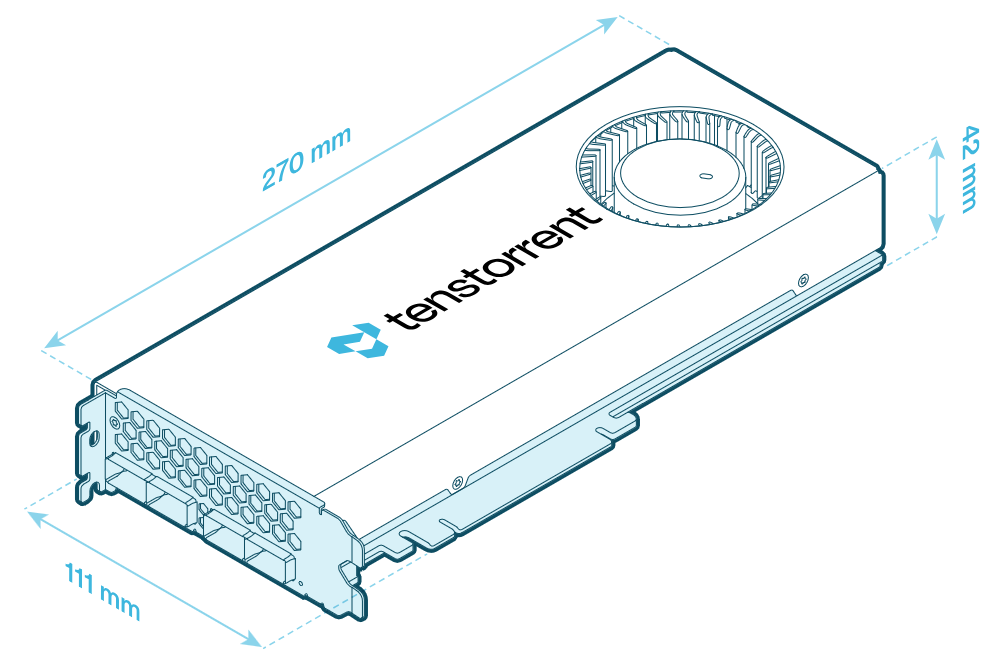
p150b
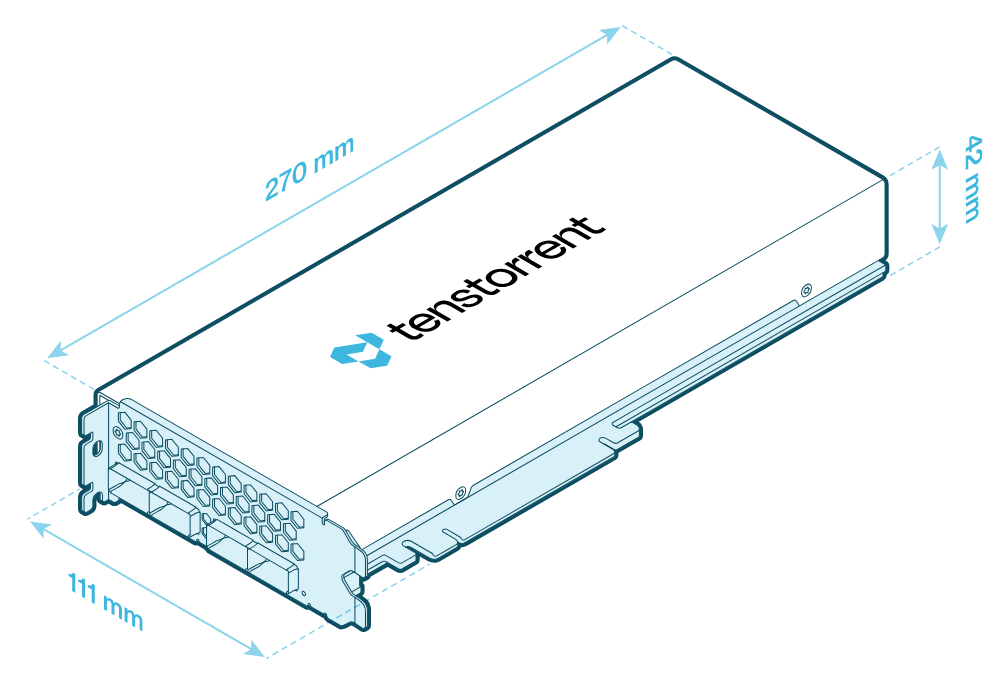
Connectivity (p150a/p150b)
The p150a and p150b each have four QSFP-DD ports on the card bracket. Each passive port provides 800 Gbps and connects only to other Blackhole-based cards. See Multi-Card Topologies for guidance on how to cable them together.
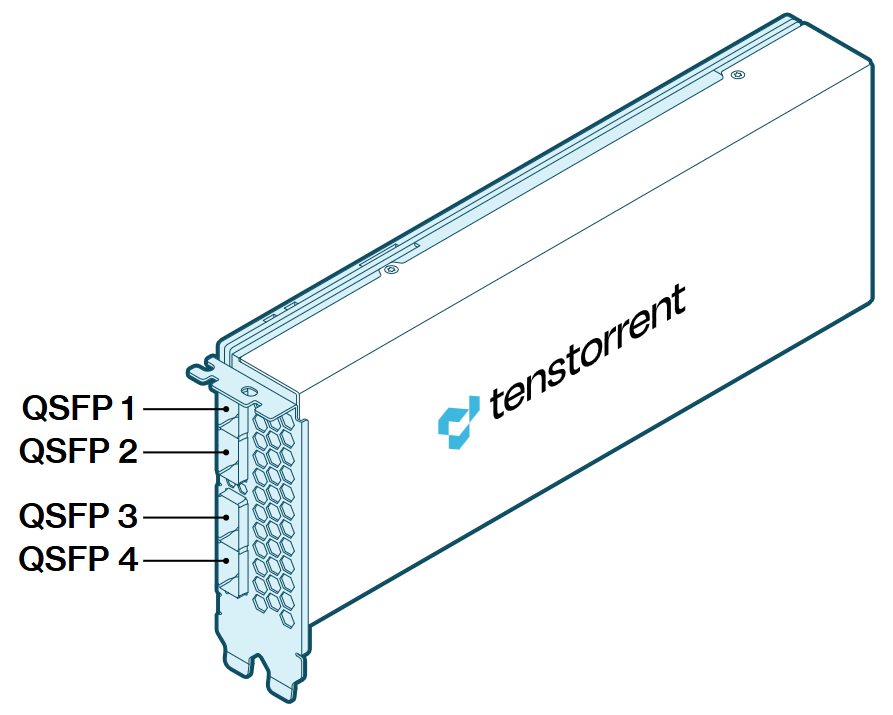
p150b pictured for reference. The p150a has the same ports.
Supported Data Precision Formats
Format |
Bit Depth (Tensix Cores) |
Bit Depth (Big RISC-V Cores) |
|---|---|---|
Floating point |
FP8, FP16, BFLOAT16 |
FP8, FP16, BFLOAT16, FP32, FP64 |
Block floating point |
BLOCKFP2, BLOCKFP4, BLOCKFP8 |
- |
Integer |
INT8 |
INT8, INT16, INT32, INT64 |
Unsigned Integer |
UINT8 |
- |
TensorFloat |
TF32 |
- |
Vector |
VTF19, VFP32 |
VFP64 |
Minimum System Requirements
Part |
Requirement |
|---|---|
CPU |
x86_64 architecture. Core count and socket count depend on the host pre- and post-processing your workload needs. |
Motherboard |
PCI Express 5.0 x16 slot, dual-slot width. Cards can function in slots with reduced connectivity at potentially reduced performance. |
Memory |
64 GB |
Storage |
100 GB (≥2 TB recommended) |
Power Connectors |
12+4-pin 12V-2x6 |
Total Board Power |
Up to 300W per card |
Power Supply |
ATX 3.1 Certified or better |
Operating System |
Ubuntu 24.04 (Noble Numbat). |
Internet Connection |
Required for driver and stack installation. |
For motherboard, case, power supply, and lane-budget guidance, see Choosing Host Hardware.
Environment
Specification |
Requirement |
|---|---|
Operating Temperature Range |
10°C/50°F - 35°C/95°F |
Storage Temperature Range |
-40°C/-40°F - 75°C/167°F |
Elevation |
-5 ft. to 10,000 ft. |