Recipe 1: Conway's Game of Life 🎮
Overview
Conway's Game of Life is a cellular automaton where cells evolve based on simple rules:
- Birth: Dead cell with exactly 3 live neighbors becomes alive
- Survival: Live cell with 2-3 live neighbors stays alive
- Death: All other cells die or stay dead
Why This Project:
- ✅ Simple rules, complex behavior
- ✅ Demonstrates how matmul accelerates real algorithms
- ✅ Visual output (matplotlib animation)
- ✅ Works on real hardware and the ttsim software simulator
The Matmul Trick:
Counting each cell's 8 neighbours is equivalent to a 3×3 neighbourhood sum — which
is exactly what two matrix multiplications can do. Build a circulant shift matrix
K of size N×N once; then K_row @ G @ K_col sums every cell's 3-row, 3-column
neighbourhood in a single pair of Matrix Engine matmuls, no SFPU required.
Time: 30 minutes | Difficulty: Beginner
Example Output
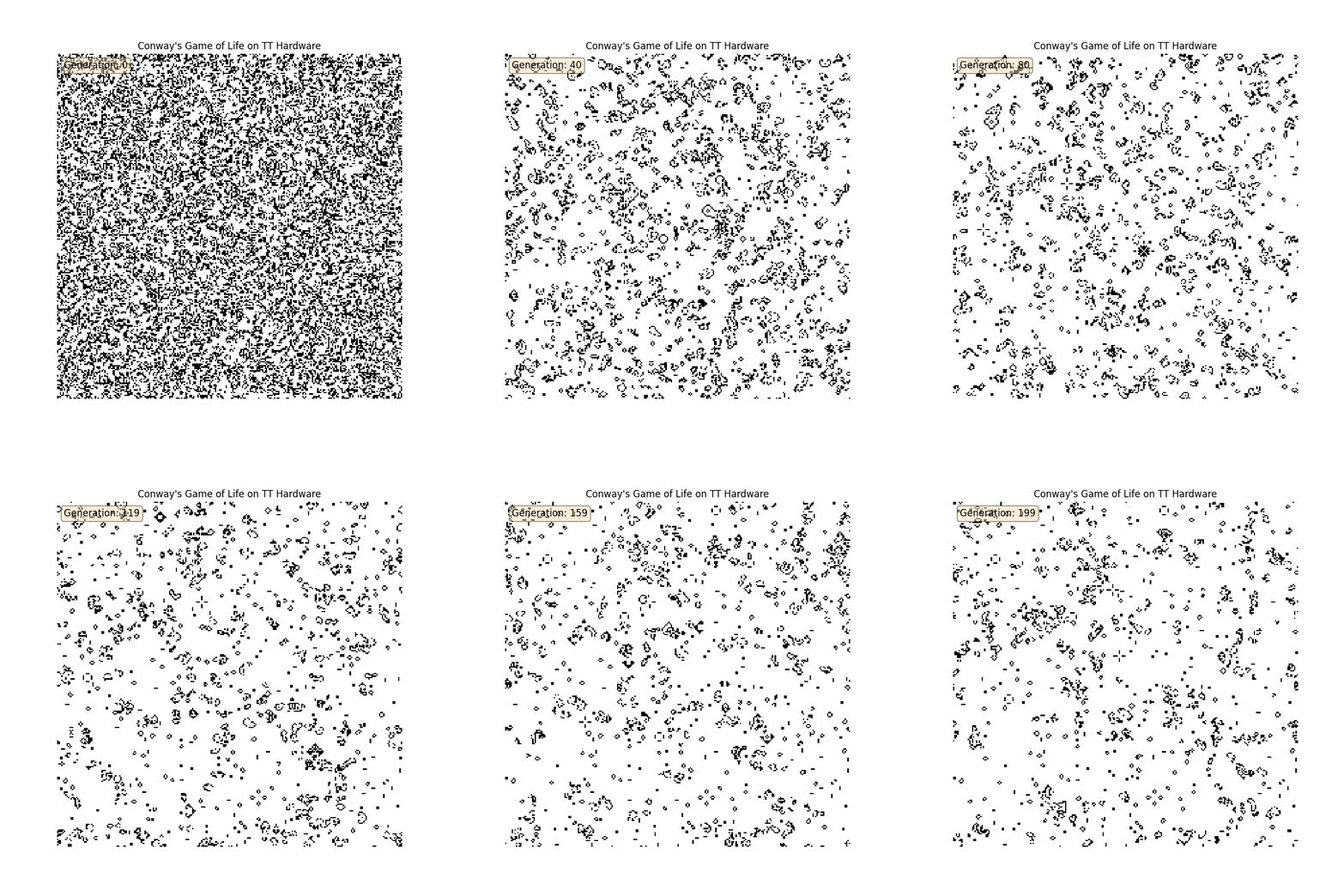
Classic "Gosper Glider Gun" pattern generating infinite gliders on TT hardware. Simple convolution rules create complex emergent behavior.
Deploy the Project
📦 Deploy All Cookbook Projects
This creates the project in ~/tt-scratchpad/cookbook/game_of_life/.
Project Structure
~/tt-scratchpad/cookbook/game_of_life/
├── game_of_life.py       # Core TT-NN implementation
├── visualizer.py          # Matplotlib animation
├── patterns.py            # Glider, blinker, Gosper gun, etc.
├── requirements.txt
└── README.md
Implementation
Step 1: Core Game Logic (game_of_life.py)
How it works: Build one circulant shift-sum matrix K of size N×N.
K[i, i-1] = K[i, i] = K[i, i+1] = 1 (with wrap-around).
Then K_row @ G @ K_col gives each cell's 3×3 neighbourhood sum using two
Matrix Engine matmuls. Subtracting G removes the self-count → 8-neighbour total.
⚡ Sim-ready: Set
TT_METAL_SIMULATOR=~/sim/libttsim_wh.soto run on ttsim — the code automatically routes neighbour counting throughtorch.mmon CPU in sim mode andttnn.matmulon the Matrix Engine on real hardware.
import os
import numpy as np
import torch
import ttnn


def _on_simulator():
    return bool(os.environ.get("TT_METAL_SIMULATOR"))


def _circulant_shift_sum(n):
    """n×n matrix: (M @ v)[i] = v[i-1] + v[i] + v[i+1]  (indices mod n)"""
    M = torch.zeros(n, n, dtype=torch.bfloat16)
    for i in range(n):
        M[i, i] = 1.0
        M[i, (i - 1) % n] = 1.0
        M[i, (i + 1) % n] = 1.0
    return M


class GameOfLife:
    def __init__(self, device, grid_size=(128, 128)):
        self.device = device
        self.grid_size = grid_size
        self._sim = _on_simulator()

        H, W = grid_size
        K_row_cpu = _circulant_shift_sum(H)
        K_col_cpu = _circulant_shift_sum(W)

        if self._sim:
            # torch.mm path — faster than routing through the sim's kernel dispatch
            self.K_row_cpu = K_row_cpu.float()
            self.K_col_cpu = K_col_cpu.float()
        else:
            # Matrix Engine path — both matmuls run on-chip
            self.K_row = ttnn.from_torch(K_row_cpu, device=device, layout=ttnn.TILE_LAYOUT)
            self.K_col = ttnn.from_torch(K_col_cpu, device=device, layout=ttnn.TILE_LAYOUT)

    def initialize_random(self, density=0.3):
        H, W = self.grid_size
        cpu = (torch.rand(H, W) < density).to(torch.bfloat16)
        if self._sim:
            return cpu
        return ttnn.from_torch(cpu, device=self.device, layout=ttnn.TILE_LAYOUT)

    def initialize_pattern(self, pattern_name):
        from patterns import get_pattern
        H, W = self.grid_size
        grid_cpu = torch.zeros(H, W, dtype=torch.bfloat16)
        pattern = torch.tensor(get_pattern(pattern_name), dtype=torch.bfloat16)
        ph, pw = pattern.shape
        r0, c0 = (H - ph) // 2, (W - pw) // 2
        grid_cpu[r0:r0 + ph, c0:c0 + pw] = pattern
        if self._sim:
            return grid_cpu
        return ttnn.from_torch(grid_cpu, device=self.device, layout=ttnn.TILE_LAYOUT)

    def _count_neighbors(self, grid):
        """
        8-neighbour count via two matmuls.

        K_row @ G             — sums three consecutive rows   (vertical)
        (K_row @ G) @ K_col   — sums three consecutive columns (horizontal)

        Result includes the centre cell (identity component of K), so
        subtract G once to get the 8-neighbour sum.
        """
        if self._sim:
            g     = grid.float()
            temp  = torch.mm(self.K_row_cpu, g)
            N_raw = torch.mm(temp, self.K_col_cpu)
            return N_raw - g, g
        else:
            temp  = ttnn.matmul(self.K_row, grid)   # H×H × H×W — Matrix Engine
            N_raw = ttnn.matmul(temp, self.K_col)   # H×W × W×W — Matrix Engine
            N_cpu    = ttnn.to_torch(N_raw).float()
            grid_cpu = ttnn.to_torch(grid).float()
            return N_cpu - grid_cpu, grid_cpu

    def step(self, grid):
        """One generation: matmul neighbour count + CPU rule application."""
        neighbors_cpu, grid_f = self._count_neighbors(grid)

        alive = grid_f > 0.5
        n     = neighbors_cpu
        next_alive = (alive & ((n == 2) | (n == 3))) | (~alive & (n == 3))
        next_cpu   = next_alive.to(torch.bfloat16)

        if self._sim:
            return next_cpu
        return ttnn.from_torch(next_cpu, device=self.device, layout=ttnn.TILE_LAYOUT)

    def simulate(self, initial_grid, num_generations=100):
        history = []
        grid = initial_grid
        for gen in range(num_generations):
            grid_np = (grid.float().numpy() if self._sim
                       else ttnn.to_torch(grid).float().cpu().numpy())
            history.append(grid_np)
            grid = self.step(grid)
            if gen > 0 and np.array_equal(history[-1], history[-2]):
                print(f"Stable state reached at generation {gen}")
                break
        return history


if __name__ == "__main__":
    device = ttnn.open_device(device_id=0)
    try:
        game = GameOfLife(device, grid_size=(256, 256))
        initial = game.initialize_random(density=0.3)
        history = game.simulate(initial, num_generations=200)
        print(f"✅ {len(history)} generations complete.")
        from visualizer import animate_game_of_life
        animate_game_of_life(history, interval=50)
    finally:
        ttnn.close_device(device)
Step 2: Patterns Library (patterns.py)
"""
Classic Game of Life patterns
"""

import numpy as np

PATTERNS = {
    'glider': np.array([
        [0, 1, 0],
        [0, 0, 1],
        [1, 1, 1]
    ]),

    'blinker': np.array([
        [1, 1, 1]
    ]),

    'toad': np.array([
        [0, 1, 1, 1],
        [1, 1, 1, 0]
    ]),

    'beacon': np.array([
        [1, 1, 0, 0],
        [1, 1, 0, 0],
        [0, 0, 1, 1],
        [0, 0, 1, 1]
    ]),

    'pulsar': np.array([
        [0,0,1,1,1,0,0,0,1,1,1,0,0],
        [0,0,0,0,0,0,0,0,0,0,0,0,0],
        [1,0,0,0,0,1,0,1,0,0,0,0,1],
        [1,0,0,0,0,1,0,1,0,0,0,0,1],
        [1,0,0,0,0,1,0,1,0,0,0,0,1],
        [0,0,1,1,1,0,0,0,1,1,1,0,0],
        [0,0,0,0,0,0,0,0,0,0,0,0,0],
        [0,0,1,1,1,0,0,0,1,1,1,0,0],
        [1,0,0,0,0,1,0,1,0,0,0,0,1],
        [1,0,0,0,0,1,0,1,0,0,0,0,1],
        [1,0,0,0,0,1,0,1,0,0,0,0,1],
        [0,0,0,0,0,0,0,0,0,0,0,0,0],
        [0,0,1,1,1,0,0,0,1,1,1,0,0]
    ]),

    'glider_gun': np.array([
        # Gosper Glider Gun (36×9) - generates gliders indefinitely!
        [0,0,0,0,0,0,0,0,0,0,0,0,0,0,0,0,0,0,0,0,0,0,0,0,1,0,0,0,0,0,0,0,0,0,0,0],
        [0,0,0,0,0,0,0,0,0,0,0,0,0,0,0,0,0,0,0,0,0,0,1,0,1,0,0,0,0,0,0,0,0,0,0,0],
        [0,0,0,0,0,0,0,0,0,0,0,0,1,1,0,0,0,0,0,0,1,1,0,0,0,0,0,0,0,0,0,0,0,0,1,1],
        [0,0,0,0,0,0,0,0,0,0,0,1,0,0,0,1,0,0,0,0,1,1,0,0,0,0,0,0,0,0,0,0,0,0,1,1],
        [1,1,0,0,0,0,0,0,0,0,1,0,0,0,0,0,1,0,0,0,1,1,0,0,0,0,0,0,0,0,0,0,0,0,0,0],
        [1,1,0,0,0,0,0,0,0,0,1,0,0,0,1,0,1,1,0,0,0,0,1,0,1,0,0,0,0,0,0,0,0,0,0,0],
        [0,0,0,0,0,0,0,0,0,0,1,0,0,0,0,0,1,0,0,0,0,0,0,0,1,0,0,0,0,0,0,0,0,0,0,0],
        [0,0,0,0,0,0,0,0,0,0,0,1,0,0,0,1,0,0,0,0,0,0,0,0,0,0,0,0,0,0,0,0,0,0,0,0],
        [0,0,0,0,0,0,0,0,0,0,0,0,1,1,0,0,0,0,0,0,0,0,0,0,0,0,0,0,0,0,0,0,0,0,0,0]
    ])
}

def get_pattern(name):
    """Get pattern by name."""
    if name not in PATTERNS:
        raise ValueError(f"Unknown pattern: {name}. Available: {list(PATTERNS.keys())}")
    return PATTERNS[name]

def list_patterns():
    """List all available patterns."""
    return list(PATTERNS.keys())
Step 3: Visualization (visualizer.py)
"""
Visualization for Game of Life using matplotlib
"""

import numpy as np
import matplotlib.pyplot as plt
from matplotlib.animation import FuncAnimation, PillowWriter

def animate_game_of_life(history, interval=100, save_path=None):
    """
    Animate Game of Life simulation.

    Args:
        history: List of numpy arrays (one per generation)
        interval: Milliseconds between frames
        save_path: Optional path to save as GIF
    """
    fig, ax = plt.subplots(figsize=(8, 8))
    ax.set_title("Conway's Game of Life on TT Hardware")
    ax.axis('off')

    # Initial frame
    im = ax.imshow(history[0], cmap='binary', interpolation='nearest')
    generation_text = ax.text(0.02, 0.98, '', transform=ax.transAxes,
                             va='top', ha='left', fontsize=12,
                             bbox=dict(boxstyle='round', facecolor='wheat', alpha=0.5))

    def update(frame):
        """Update function for animation."""
        im.set_data(history[frame])
        generation_text.set_text(f'Generation: {frame}')
        return [im, generation_text]

    anim = FuncAnimation(fig, update, frames=len(history),
                        interval=interval, blit=True, repeat=True)

    if save_path:
        writer = PillowWriter(fps=1000//interval)
        anim.save(save_path, writer=writer)
        print(f"Animation saved to {save_path}")

    plt.tight_layout()
    plt.show()

    return anim

def plot_generation(grid, generation_num=0, title=None):
    """
    Plot a single generation.

    Args:
        grid: 2D numpy array
        generation_num: Generation number for title
        title: Custom title (overrides generation_num)
    """
    fig, ax = plt.subplots(figsize=(8, 8))

    if title:
        ax.set_title(title)
    else:
        ax.set_title(f"Generation {generation_num}")

    ax.imshow(grid, cmap='binary', interpolation='nearest')
    ax.axis('off')
    plt.tight_layout()
    plt.show()

def compare_patterns(patterns_dict):
    """
    Display multiple patterns side-by-side.

    Args:
        patterns_dict: {name: grid} dictionary
    """
    n = len(patterns_dict)
    fig, axes = plt.subplots(1, n, figsize=(4*n, 4))

    if n == 1:
        axes = [axes]

    for ax, (name, grid) in zip(axes, patterns_dict.items()):
        ax.set_title(name)
        ax.imshow(grid, cmap='binary', interpolation='nearest')
        ax.axis('off')

    plt.tight_layout()
    plt.show()
Running the Project
Quick Start - Click to Run:
cd ~/tt-scratchpad/cookbook/game_of_life && export PYTHONPATH=~/tt-metal:$PYTHONPATH && python3 game_of_life.py
cd ~/tt-scratchpad/cookbook/game_of_life && export PYTHONPATH=~/tt-metal:$PYTHONPATH && python3 -c "from game_of_life import GameOfLife; from visualizer import animate_game_of_life; import ttnn; device = ttnn.open_device(device_id=0); game = GameOfLife(device, grid_size=(256, 256)); initial = game.initialize_pattern('glider'); history = game.simulate(initial, num_generations=200); animate_game_of_life(history, interval=50); ttnn.close_device(device)"cd ~/tt-scratchpad/cookbook/game_of_life && export PYTHONPATH=~/tt-metal:$PYTHONPATH && python3 -c "from game_of_life import GameOfLife; from visualizer import animate_game_of_life; import ttnn; device = ttnn.open_device(device_id=0); game = GameOfLife(device, grid_size=(256, 256)); initial = game.initialize_pattern('glider_gun'); history = game.simulate(initial, num_generations=500); animate_game_of_life(history, interval=50); ttnn.close_device(device)"Manual Commands:
# Activate TT environment (choose for your setup):
tt-metal                                          # tt-developer-image / Docker
# tt-metalium                                      # QB2 — TTNN is in this container
# source /opt/venv-metal/bin/activate             # cloud / custom install

# cd after activating — tt-metalium opens a new shell, so a cd before it
# would be lost when you land back at /home/user inside the container
cd ~/tt-scratchpad/cookbook/game_of_life

# Install dependencies:
pip install -r requirements.txt
# On a QB2 there is no pip inside tt-metalium, only uv, and `ttnn` is already
# provided by the image — don't reinstall it. Install the rest individually,
# using the CPU wheel index for torch, and repeat this every session (the
# install doesn't survive `exit`, since /opt/venv isn't part of the ${HOME}
# bind mount):
# uv pip install --python /opt/venv/bin/python3 torch --index-url https://download.pytorch.org/whl/cpu
# uv pip install --python /opt/venv/bin/python3 numpy matplotlib

# Run with random initial state
python3 game_of_life.py
Run with specific pattern:
python3 -c "
from game_of_life import GameOfLife
from visualizer import animate_game_of_life
import ttnn

device = ttnn.open_device(device_id=0)
game = GameOfLife(device, grid_size=(256, 256))

# Try different patterns:
# 'glider', 'blinker', 'toad', 'beacon', 'pulsar', 'glider_gun'
initial = game.initialize_pattern('glider_gun')

history = game.simulate(initial, num_generations=500)
animate_game_of_life(history, interval=50)

ttnn.close_device(device)
"
Extensions & Experiments
1. Performance Benchmarking
Test different grid sizes and measure performance:
import time

sizes = [128, 256, 512, 1024, 2048]
for size in sizes:
    game = GameOfLife(device, grid_size=(size, size))
    initial = game.initialize_random(0.3)

    start = time.time()
    game.simulate(initial, num_generations=100)
    elapsed = time.time() - start

    generations_per_sec = 100 / elapsed
    print(f"{size}×{size}: {generations_per_sec:.2f} gen/sec")
2. Custom Rule Sets
Implement variants like HighLife (birth on 3,6) — rules are just PyTorch comparisons:
def highlife_step(self, grid):
    """HighLife: B36/S23 (birth on 3 or 6, survival on 2 or 3)"""
    neighbors_cpu, grid_f = self._count_neighbors(grid)
    alive = grid_f > 0.5
    n     = neighbors_cpu
    next_alive = (alive & ((n == 2) | (n == 3))) | (~alive & ((n == 3) | (n == 6)))
    next_cpu   = next_alive.to(torch.bfloat16)
    if self._sim:
        return next_cpu
    return ttnn.from_torch(next_cpu, device=self.device, layout=ttnn.TILE_LAYOUT)
3. Multi-Color Variants
Track cell "age" — how many consecutive generations a cell has been alive:
def step_with_age(self, grid_age):
    """grid_age[i,j] = number of consecutive generations cell (i,j) has been alive."""
    # treat any nonzero age as alive
    grid_binary = (grid_age > 0).float().to(torch.bfloat16)
    if not self._sim:
        grid_binary = ttnn.from_torch(grid_binary, device=self.device, layout=ttnn.TILE_LAYOUT)

    neighbors_cpu, grid_f = self._count_neighbors(grid_binary)
    alive = grid_f > 0.5
    n     = neighbors_cpu
    next_alive = (alive & ((n == 2) | (n == 3))) | (~alive & (n == 3))

    # increment age of survivors; new births start at 1; deaths → 0
    age_cpu = grid_age if self._sim else ttnn.to_torch(grid_age).float()
    next_age = torch.where(next_alive, age_cpu + 1, torch.zeros_like(age_cpu))
    if self._sim:
        return next_age.to(torch.bfloat16)
    return ttnn.from_torch(next_age.to(torch.bfloat16), device=self.device, layout=ttnn.TILE_LAYOUT)
4. Larger Grids — Matmul Scaling
The matmul approach scales well because K_row and K_col are sparse (3 non-zeros per row) and the tile engine processes them efficiently. Try larger grids to see the speedup:
import time

sizes = [128, 256, 512, 1024]
for size in sizes:
    game = GameOfLife(device, grid_size=(size, size))
    initial = game.initialize_random(0.3)
    start = time.time()
    game.simulate(initial, num_generations=50)
    elapsed = time.time() - start
    print(f"{size}×{size}: {50 / elapsed:.1f} gen/sec")
What You Learned
- ✅ Matmul as a general tool: Circulant matrix trick maps neighbour-counting to pure matmul
- ✅ Cellular automata: Simple rules → complex emergent behavior
- ✅ Simulator compatibility: Detect
TT_METAL_SIMULATORto swap backend without changing logic - ✅ Visual output generation: Creating animations from simulation data