Twenty-and-Ten-Plus-One Things You Can Do with ttsim
ttsim is a hardware-accurate functional simulator for Tenstorrent Wormhole and Blackhole
chips. It ships as a single .so file that plugs into TT-Metalium via an environment
variable. Every kernel that compiles for silicon compiles for the simulator. Results are
bit-exact. It runs on any Linux machine — x86_64 or aarch64 — including WSL2 on Windows.
This lesson is self-contained. Setup is below. No Tenstorrent hardware required.
Have hardware? The simulator is still useful for debugging, architecture exploration, and running experiments without tying up a device.
Setup
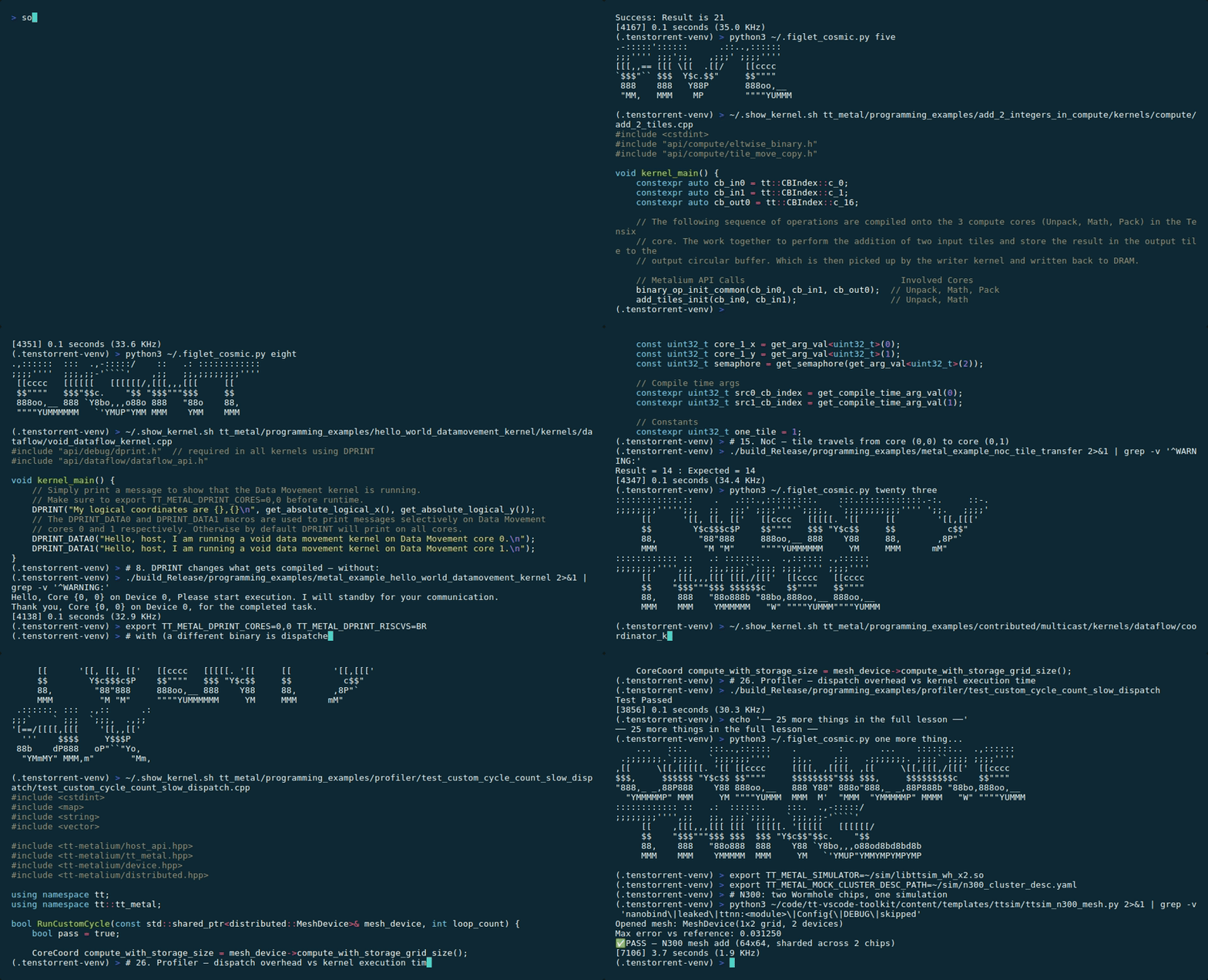
No hardware? The ttsim QEMU Bridge boots a Linux VM with a virtual Tenstorrent PCI device. Prerequisites:
libttsim_wh.soon the host (downloaded via the Setup button below), an Ubuntu 24.04 cloud image, andtt-kmdbuilt and loaded inside the VM. See the QEMU Bridge lesson for current status and driver version requirements — this path is still in active development.
mkdir -p ~/sim
TTSIM_VERSION=v1.10.1
for SIM in wh bh wh_x2 bh_x2 wh_x8 bh_x4; do
  wget -q https://github.com/tenstorrent/ttsim/releases/download/$TTSIM_VERSION/libttsim_$SIM.so -O ~/sim/libttsim_$SIM.so || { echo "ERROR: failed to download libttsim_$SIM.so"; exit 1; }
done
if [ -n "$TT_METAL_HOME" ]; then
  cp $TT_METAL_HOME/tt_metal/soc_descriptors/wormhole_b0_80_arch.yaml ~/sim/soc_descriptor.yaml || { echo "ERROR: failed to copy SOC descriptor"; exit 1; }
  cp $TT_METAL_HOME/tests/tt_metal/tt_fabric/custom_mock_cluster_descriptors/n300_cluster_desc.yaml ~/sim/n300_cluster_desc.yaml || { echo "WARNING: n300 cluster desc copy skipped (optional for N300 sim)"; }
else
  echo "TT_METAL_HOME not set — SOC descriptor copy skipped"
fi
echo "ttsim $TTSIM_VERSION ready (wh + bh + wh_x2 + bh_x2 + wh_x8 + bh_x4)"
Or manually:
mkdir -p ~/sim
TTSIM_VERSION=v1.10.1

# Single chip: libttsim_wh.so = Wormhole, libttsim_bh.so = Blackhole
wget https://github.com/tenstorrent/ttsim/releases/download/${TTSIM_VERSION}/libttsim_wh.so \
     -O ~/sim/libttsim_wh.so
wget https://github.com/tenstorrent/ttsim/releases/download/${TTSIM_VERSION}/libttsim_bh.so \
     -O ~/sim/libttsim_bh.so

# Multi-chip: the suffix is the chip count, and the whole board is one .so
#   wh_x2  = N300 (2 Wormhole)      — entry 31
#   bh_x2  = P300 (2 Blackhole)     — entry 32
#   wh_x8  = T3000 / LoudBox        — not yet exercised in this lesson
#   bh_x4  = TT-QuietBox 2 (2x P300 cards, 4 Blackhole chips), new in v1.10.0
wget https://github.com/tenstorrent/ttsim/releases/download/${TTSIM_VERSION}/libttsim_wh_x2.so \
     -O ~/sim/libttsim_wh_x2.so
wget https://github.com/tenstorrent/ttsim/releases/download/${TTSIM_VERSION}/libttsim_bh_x2.so \
     -O ~/sim/libttsim_bh_x2.so
wget https://github.com/tenstorrent/ttsim/releases/download/${TTSIM_VERSION}/libttsim_wh_x8.so \
     -O ~/sim/libttsim_wh_x8.so
wget https://github.com/tenstorrent/ttsim/releases/download/${TTSIM_VERSION}/libttsim_bh_x4.so \
     -O ~/sim/libttsim_bh_x4.so

# Also published, not used below: wh_x32 / bh_x32 (Galaxy racks — bh_x32 is
# x86_64 only), and libttsim_qsr.so, which is *Quasar*: a separate, pre-silicon
# Tenstorrent architecture, not a Wormhole or Blackhole board.

# Copy the SOC descriptor for Wormhole (switch for Blackhole in entries 3 and 27)
cp $TT_METAL_HOME/tt_metal/soc_descriptors/wormhole_b0_80_arch.yaml ~/sim/soc_descriptor.yaml

# Copy the N300 cluster descriptor (used for multichip simulation — entries 31, 32)
cp $TT_METAL_HOME/tests/tt_metal/tt_fabric/custom_mock_cluster_descriptors/n300_cluster_desc.yaml \
   ~/sim/n300_cluster_desc.yaml

# Required env vars — set these before running any entry below
export TT_METAL_SIMULATOR=~/sim/libttsim_wh.so
export TT_METAL_SLOW_DISPATCH_MODE=1
export TT_METAL_DISABLE_SFPLOADMACRO=1
ARM host? aarch64 variants are available — replace filenames with
libttsim_wh_aarch64.so,libttsim_bh_aarch64.so, etc. Same download URL, different filename suffix.
Prerequisite: tt-metal must be installed and built. If you haven't done that yet, start with the build tt-metal lesson first.
All examples below run from $TT_METAL_HOME unless noted.
The Twenty
1. Run Tenstorrent on Windows
WSL2 + libttsim_wh.so. Set the three env vars above inside a WSL2 session and every
entry in this lesson works. No hardware. No special drivers. No silicon anywhere in the
chain.
# In a WSL2 terminal on Windows:
export TT_METAL_SIMULATOR=~/sim/libttsim_wh.so
export TT_METAL_SLOW_DISPATCH_MODE=1
export TT_METAL_DISABLE_SFPLOADMACRO=1
# Then run any entry in this lesson
2. Hello, RISC-V
add_2_integers_in_riscv dispatches a kernel onto the BRISC (data-movement RISC-V core)
of a virtual Tensix. Two integers added together. Real RISC-V ISA. Real dispatch path.
cd $TT_METAL_HOME
./build/programming_examples/metal_example_add_2_integers_in_riscv
Success: Result is 21
3. Own both chips for free
Download both .so files (the setup above does this). Switch architectures by changing
one environment variable and replacing the SOC descriptor.
# Switch to Blackhole (140-core SOC)
cp $TT_METAL_HOME/tt_metal/soc_descriptors/blackhole_140_arch.yaml ~/sim/soc_descriptor.yaml
export TT_METAL_SIMULATOR=~/sim/libttsim_bh.so

./build/programming_examples/metal_example_add_2_integers_in_riscv

# Switch back to Wormhole
cp $TT_METAL_HOME/tt_metal/soc_descriptors/wormhole_b0_80_arch.yaml ~/sim/soc_descriptor.yaml
export TT_METAL_SIMULATOR=~/sim/libttsim_wh.so
4. Talk to the compute engine
The compute RISC-V (TRISC) is a separate processor from the data-movement RISC-V.
hello_world_compute_kernel dispatches a kernel specifically to the TRISC.
./build/programming_examples/metal_example_hello_world_compute_kernel
Hello, Core (0, 0) on Device 0, I am sending you a compute kernel. Standby awaiting communication.
Thank you, Core {0, 0} on Device 0, for the completed task.
5. Elementary school math on an AI accelerator
2 + 3 = 5, dispatched through a chip designed to run large language models. The full dispatch path — host program, command queue, kernel compilation, BRISC/TRISC execution — for a trivial operation.
./build/programming_examples/metal_example_add_2_integers_in_compute
Success: Result matches expected value!
6. Invoke the Special Function Processing Unit
The SFPU is a vector unit inside each Tensix core that performs transcendental functions
as native hardware operations — exp, log, sqrt, gelu. These are silicon opcodes,
not library calls.
./build/programming_examples/metal_example_eltwise_sfpu
Test Passed
7. Chain SFPU ops into a pipeline
sfpu_eltwise_chain runs a sequence of SFPU operations on a tile without intermediate
results touching DRAM. The values stay in the register file between steps. This is how
softmax is computed on Tensix hardware.
./build/programming_examples/metal_example_sfpu_eltwise_chain
Metalium vs Golden -- PCC = 0.99986374
8. The kernel that runs when you're watching is not the kernel that runs when you're not
TT_METAL_DPRINT_CORES is checked at kernel compilation time — not at runtime. Setting
it changes what code gets compiled into the kernel binary. The observation changes the
experiment.
# Without DPRINT: standard kernel binary, no instrumentation
./build/programming_examples/metal_example_hello_world_datamovement_kernel

# With DPRINT: a different kernel binary is compiled and dispatched
export TT_METAL_DPRINT_CORES=0,0
export TT_METAL_DPRINT_RISCVS=BR
./build/programming_examples/metal_example_hello_world_datamovement_kernel
unset TT_METAL_DPRINT_CORES TT_METAL_DPRINT_RISCVS
The second invocation prints from inside the running kernel. The first does not — the instrumentation was never compiled in.
9. Operate on 1,024 values simultaneously
A tile is a 32×32 array of bfloat16 values. eltwise_binary adds, subtracts, or
multiplies every element in a single dispatched operation.
./build/programming_examples/metal_example_eltwise_binary
Test Passed
10. Run the matmul that powers everything
Matrix multiplication is the fundamental operation of transformer inference.
matmul_single_core runs it on one core, start to finish, in tile layout.
./build/programming_examples/metal_example_matmul_single_core
Output vector of size 409600
Metalium vs Golden -- PCC = 0.982093
Test Passed
11. Light up the grid
matmul_multi_core distributes the same matrix multiplication across multiple cores.
./build/programming_examples/metal_example_matmul_multi_core
Output vector of size 409600
Metalium vs Golden -- PCC = 0.9999391
Test Passed
12. Why SRAM reuse is the whole secret
matmul_multicore_reuse keeps weight tiles in L1 SRAM across multiple output tiles
instead of re-fetching from DRAM. This is the optimization that closes the gap between
raw FLOP capacity and memory bandwidth on Tensix hardware.
./build/programming_examples/metal_example_matmul_multicore_reuse
Metalium vs Golden -- PCC = 0.99930096
Test Passed
13. Spread a vector add across every core
vecadd_multi_core gives every core a slice of the input. All cores compute
simultaneously.
./build/programming_examples/metal_example_vecadd_multi_core
Kernel execution finished
Partial results: (note we are running under BFP16. It's going to be less accurate)
All results match expected values within tolerance.
14. Stripe data across DRAM banks
vecadd_sharding distributes tensor data across multiple DRAM channels on the same chip.
A single Tensix chip has multiple DRAM banks and benefits from using all of them.
./build/programming_examples/metal_example_vecadd_sharding
Sharding 4x4 tiles to 4x1 cores in TensorMemoryLayout::HEIGHT_SHARDED mode
Each core will handle 1x4 tiles

Kernel execution finished. Reading results...
Partial results: (note we are running under BFP16. It's going to be less accurate)
All results match expected values within tolerance.
15. Send a tile across the mesh interconnect
noc_tile_transfer moves a tile from core (0,0) to core (0,1) via the on-chip network.
No CPU involvement after dispatch. The tile travels the NoC and arrives.
./build/programming_examples/metal_example_noc_tile_transfer
Result = 14 : Expected = 14
16. Write a custom SFPU instruction
custom_sfpi_add is hand-authored SFPI assembly — the instruction set of the SFPU
functional unit. This is ISA-level code for a production AI accelerator.
./build/programming_examples/metal_example_custom_sfpi_add
Test Passed
17. Implement smoothstep in SFPU assembly
custom_sfpi_smoothstep implements the smoothstep interpolation function — a standard
graphics shader primitive — as SFPU opcodes. The function has no relationship to AI
inference. Running it on a Tenstorrent chip is completely unnecessary and entirely
possible.
./build/programming_examples/metal_example_custom_smoothstep
Test Passed
18. Dispatch a program to a mesh
1_distributed_program_dispatch uses the mesh device API. The code is structurally
identical to single-device dispatch — the API scales, and so does the program.
./build/programming_examples/distributed/distributed_program_dispatch
ttsim note: Requires an 8-device MeshShape
[2, 4]— ttsim simulates one chip only. This example requires a multi-device system (T3000, Galaxy, TT-QuietBox 2, or equivalent).
19. Read and write distributed buffers
2_distributed_buffer_rw manages memory across a virtual mesh. Every tensor-parallel
model does this operation millions of times per inference.
./build/programming_examples/distributed/distributed_buffer_rw
ttsim note: Requires an 8-device mesh — ttsim simulates one chip only. Run on a multi-device system (T3000, Galaxy, TT-QuietBox 2) to execute this example.
20. The primitive of tensor parallelism
3_distributed_eltwise_add performs an element-wise addition across a virtual mesh.
Splitting a tensor across devices, computing in parallel, gathering results — this is
the building block that lets a model span multiple chips.
./build/programming_examples/distributed/distributed_eltwise_add
Total values: 1024
Distributed elementwise add verification: 1024 / 1024
ttsim note: Requires an 8-device mesh — ttsim simulates one chip only. Run on a multi-device system (T3000, Galaxy, TT-QuietBox 2) to execute this example.
The Ten
21. Trace async execution without a profiler
4_distributed_trace_and_events instruments async barriers and event timelines across a
virtual mesh. The shape of the execution trace matches hardware. The timings do not.
./build/programming_examples/distributed/distributed_trace_and_events
Running EltwiseBinary MeshTraces on 2 MeshCQs Passed!
ttsim note: Requires an 8-device mesh — ttsim simulates one chip only. Run on a multi-device system (T3000, Galaxy, TT-QuietBox 2) to execute this example.
22. Trigger intentional UndefinedBehavior and read the named error
Write a kernel that violates an ISA contract. The simulator halts with a named, categorized error. On silicon, the same code would likely produce silently incorrect output.
The simulator is more strict than the hardware on purpose. Error categories from the documentation:
UndefinedBehavior— violates ISA contractUnpredictableValueUsed— result is architecture-defined as unpredictableNonContractualBehavior— relies on behavior not guaranteed by the specUnimplementedFunctionality— feature not yet in the simulatorAssertionFailure— internal simulator bug (file an issue)
To trigger one: set TT_METAL_DISABLE_SFPLOADMACRO=0 (re-enable the unsupported macro)
and run any SFPU example. The simulator will report UnimplementedFunctionality for the
SFPLOADMACRO instruction. Silicon would execute it silently.
unset TT_METAL_DISABLE_SFPLOADMACRO
./build/programming_examples/metal_example_eltwise_sfpu 2>&1 | grep -i "unimplemented\|undefined\|error" | head -5
export TT_METAL_DISABLE_SFPLOADMACRO=1
23. Multicast to a core rectangle in one shot
The multicast example sends a value to every core in a rectangular range
simultaneously. This is the mechanism behind weight broadcasting in large matrix
multiplications — one sender, all receivers, a single NoC transaction.
export TT_METAL_DPRINT_CORES='(0,0)-(3,0)'
export TT_METAL_DPRINT_PREPEND_DEVICE_CORE_RISC=0
./build/programming_examples/contributed/multicast
Hello, Core (0, 0) on Device 0, please multicast the tile to your neighbors.
CORE (0,0): Tile ready for multicast. I am starting all inbound kernels in cores in given range.
CORE (1,0): Inbound kernel has received and acknowledged its tile.
CORE (2,0): Inbound kernel has received and acknowledged its tile.
CORE (3,0): Inbound kernel has received and acknowledged its tile.
Thank you, Core (0, 0) on Device 0, for the multicast.

=========== MULTICASTED TILE VERIFICATION ===========
[✅ PASS] Receiver tile 1 matches the golden tile.
[✅ PASS] Receiver tile 2 matches the golden tile.
[✅ PASS] Receiver tile 3 matches the golden tile.
[✅ PASS] All 3 receiver tiles match the golden tile.
=====================================================
24. Run the transformer attention kernel
matmul_multicore_reuse keeps weight tiles in L1 SRAM across multiple output tiles.
This is the core optimization that drives transformer attention layers — weights loaded
once, used many times across a grid of output cores.
./build/programming_examples/metal_example_matmul_multicore_reuse
Metalium vs Golden -- PCC = 0.99930096
Test Passed
25. Produce a bit-exact NaN and verify the bit pattern
ttsim guarantees bit-exact results for all operations, including the precise bit representation of NaN values. Divide bfloat16 zero by zero. Check the bit pattern against the ISA specification. If you have hardware available, compare the two — they match.
import struct
import ttnn
import torch

device = ttnn.open_device(device_id=0)
zero = ttnn.from_torch(torch.zeros(32, 32, dtype=torch.bfloat16),
                       layout=ttnn.TILE_LAYOUT, device=device)
result = ttnn.div(zero, zero)
result_cpu = ttnn.to_torch(ttnn.from_device(result)).float()
actual = result_cpu[0, 0].item()
print(f"Result: {actual}")
print(f"Is NaN: {actual != actual}")
ttnn.close_device(device)
26. Measure kernel dispatch cost vs. kernel run cost
The profiler examples include test_custom_cycle_count_slow_dispatch, which uses
software cycle instrumentation inside a kernel to measure how much time is spent
dispatching versus executing.
Note: hardware performance counter values (cycle timers, performance monitors) are intentionally divergent on the simulator — the README states this explicitly. Software cycle counting inside kernels still works.
./build/programming_examples/profiler/test_custom_cycle_count_slow_dispatch
Test Passed
The ratio of dispatch overhead to execution time at this workload size tells you when a kernel is too small to schedule efficiently.
27. Simulate Blackhole on a machine that has never seen Blackhole
Switch to libttsim_bh.so. Your machine is now running kernels under a 140-core
Blackhole SOC model. Use add_2_integers_in_riscv — compiled for WH, but the
data-movement dispatch path works on both architectures.
cp $TT_METAL_HOME/tt_metal/soc_descriptors/blackhole_140_arch.yaml ~/sim/soc_descriptor.yaml
export TT_METAL_SIMULATOR=~/sim/libttsim_bh.so

./build/programming_examples/metal_example_add_2_integers_in_riscv

# Switch back
cp $TT_METAL_HOME/tt_metal/soc_descriptors/wormhole_b0_80_arch.yaml ~/sim/soc_descriptor.yaml
export TT_METAL_SIMULATOR=~/sim/libttsim_wh.so
To run compute-heavy examples on the BH simulator, build tt-metal targeting Blackhole
(TT_METAL_ARCH_NAME=blackhole) and the compiled binaries will run under libttsim_bh.so.
WH-compiled compute kernels fail on the BH simulator with named divergence errors —
you can read exactly which ISA feature mismatch caused the fault, without touching a
P-series card.
28. Find the race condition the simulator catches but silicon hides
Write a two-kernel program where the second kernel reads a buffer the first kernel writes, with no synchronization barrier between them. On silicon this probably passes. The hardware evaluates operations in a consistent order that happens to be correct for this workload, nearly every time. On the simulator, the README states: "ttsim may evaluate operations in any order permitted by software synchronization. This may include operation orders that are extremely unlikely on silicon."
# Deploy the demo script
mkdir -p ~/tt-scratchpad/ttsim
# Copy from the tt-vscode-toolkit checkout (adjust TOOLKIT_DIR to match yours):
TOOLKIT_DIR="${TOOLKIT_DIR:-~/code/tt-vscode-toolkit}"
cp $TOOLKIT_DIR/content/templates/ttsim/ttsim_race_demo.py ~/tt-scratchpad/ttsim/

export TT_METAL_SIMULATOR=~/sim/libttsim_wh.so
python3 ~/tt-scratchpad/ttsim/ttsim_race_demo.py
With barrier:    CORRECT
Without barrier: CORRECT

NOTE: both paths ship with synchronization in place.
Exercise: in run_without_barrier(), remove the ttnn.from_device() call
on the line marked '# remove this line to race', then run again.
The simulator may produce 'WRONG (race detected)' where silicon would pass.
Follow the exercise in the script. The barrier was always necessary. The simulator shows you why.
29. Use the SFPU as a DSP core
The SFPU — 16-lane SIMD, bfloat16 and fp32, native transcendental functions — has the same computational structure as a DSP block in a custom silicon design. Implement a second-order IIR (biquad) filter in Python/TTNN, run it on a test signal, and characterize bfloat16 numerical error against a float64 reference.
mkdir -p ~/tt-scratchpad/ttsim
# Copy from the tt-vscode-toolkit checkout (adjust TOOLKIT_DIR to match yours):
TOOLKIT_DIR="${TOOLKIT_DIR:-~/code/tt-vscode-toolkit}"
cp $TOOLKIT_DIR/content/templates/ttsim/ttsim_biquad_kernel.py ~/tt-scratchpad/ttsim/
python3 ~/tt-scratchpad/ttsim/ttsim_biquad_kernel.py
Biquad filter: 1024 samples
bfloat16 max error vs float64 reference: 0.0089
PASSED
The ISA documentation (tt-isa-documentation on GitHub) describes the full SFPU
instruction encoding, register file, and opcode table. If you are designing a DSP chip
or custom accelerator and want a verified functional model of a pipelined transcendental
SIMD unit to drive your RTL requirements, this is one. You would not be taping out a
Tensix core. You would be using a working functional model to characterize an algorithm
before your RTL team writes a line of Verilog.
30. Run a transformer layer through the simulator
A transformer attention layer requires Q/K/V projections (linear), scaled dot-product attention (batched matmul), softmax (SFPU chain), and output projection (linear). Every one of these is a confirmed working TTNN operation in slow dispatch mode. The following script implements one attention head — no model download, no HuggingFace token, no weight file.
export TT_METAL_SIMULATOR=~/sim/libttsim_wh.so
export TT_METAL_SLOW_DISPATCH_MODE=1
export TT_METAL_DISABLE_SFPLOADMACRO=1
python3 ~/tt-scratchpad/ttsim/ttsim_attention.py
Or manually:
mkdir -p ~/tt-scratchpad/ttsim
TOOLKIT_DIR="${TOOLKIT_DIR:-~/code/tt-vscode-toolkit}"
cp $TOOLKIT_DIR/content/templates/ttsim/ttsim_attention.py ~/tt-scratchpad/ttsim/
python3 ~/tt-scratchpad/ttsim/ttsim_attention.py
Attention output shape: torch.Size([1, 32, 64])
PCC vs PyTorch reference: 0.999847
PASSED
The output is correct. Verified against the PyTorch reference. Running on a chip that does not exist in this machine.
31. One more thing
ttsim ships libttsim_wh_x2.so: a virtual N300 that gives you two Wormhole chips
connected by simulated Ethernet. Open a MeshDevice(1, 2), shard a tensor across both
chips with ShardTensorToMesh, run an op — it dispatches to both chips simultaneously.
Same TTNN API you'd use on a real N300.
export TT_METAL_SIMULATOR=~/sim/libttsim_wh_x2.so
export TT_METAL_MOCK_CLUSTER_DESC_PATH=~/sim/n300_cluster_desc.yaml
export TT_METAL_SLOW_DISPATCH_MODE=1
export TT_METAL_DISABLE_SFPLOADMACRO=1
import torch, ttnn

# Open a 1×2 mesh — two virtual Wormhole chips (N300 topology)
mesh = ttnn.open_mesh_device(ttnn.MeshShape(1, 2))
print(mesh)  # MeshDevice(1x2 grid, 2 devices)

a = torch.randn(64, 64, dtype=torch.bfloat16)
b = torch.randn(64, 64, dtype=torch.bfloat16)

# Shard: top 32 rows → chip 0, bottom 32 rows → chip 1
a_mesh = ttnn.from_torch(a, layout=ttnn.TILE_LAYOUT, device=mesh,
                          mesh_mapper=ttnn.ShardTensorToMesh(mesh, dim=0))
b_mesh = ttnn.from_torch(b, layout=ttnn.TILE_LAYOUT, device=mesh,
                          mesh_mapper=ttnn.ShardTensorToMesh(mesh, dim=0))

# Dispatches to both chips in parallel
c_mesh = ttnn.add(a_mesh, b_mesh)

# Reconstruct full result
c = ttnn.to_torch(c_mesh, mesh_composer=ttnn.ConcatMeshToTensor(mesh, dim=0))
ttnn.close_mesh_device(mesh)
Or run the complete script:
mkdir -p ~/tt-scratchpad/ttsim
TOOLKIT_DIR="${TOOLKIT_DIR:-~/code/tt-vscode-toolkit}"
cp $TOOLKIT_DIR/content/templates/ttsim/ttsim_n300_mesh.py ~/tt-scratchpad/ttsim/
python3 ~/tt-scratchpad/ttsim/ttsim_n300_mesh.py
Opened mesh: MeshDevice(1x2 grid, 2 devices)
Max error vs reference: 0.031250
✅ PASS — N300 mesh add (64x64, sharded across 2 chips)
Two devices. One simulation. The exact same API call you'd use on real N300 hardware —
ShardTensorToMesh, ttnn.add, ConcatMeshToTensor. The multi-chip path works
before you have the hardware.
matmul_multicore_reuse on the simulator takes about five seconds. On a P300c it
takes milliseconds. On a QuietBox with four P300cs, less than that.
Two things the simulator still cannot give you.
First: the performance counter values. Reads from hardware cycle counters and performance monitors return values the README explicitly marks as divergent. The simulator does not model real-time execution.
Second: fast dispatch, honestly. This lesson sets TT_METAL_SLOW_DISPATCH_MODE=1
throughout, and you should keep it. Fast dispatch is no longer missing from the simulator —
as of v1.10.1 the README calls it "believed to be fully functional" — but its run-to-run
determinism has not been characterized, and it can run slower than slow dispatch under
simulation. So you can flip it on, and you will not learn what you want from it.
On hardware, turning off slow dispatch mode is the moment the architecture behaves
differently. The dispatch overhead collapses. The ratio you measured in entry 26 changes
by an order of magnitude. That collapse is the thing the simulator cannot show you.
There is a third thing, harder to describe. The biquad filter in entry 29 runs in the simulator. On silicon, with fast dispatch enabled, 1,024 samples of biquad filtering at bfloat16 precision completes in a time that has no analogue in software. The same arithmetic. The same bit patterns. A different physical reality.
The simulator gave you the model. Hardware gives you the thing.
To return to single-chip mode:
export TT_METAL_SIMULATOR=~/sim/libttsim_wh.soandunset TT_METAL_MOCK_CLUSTER_DESC_PATH.
32. Two Blackhole chips — the BH mesh
libttsim_bh_x2.so gives you a virtual 2-chip Blackhole system — the same
MeshDevice(1, 2) API as the N300 WH mesh in entry 31, now on Blackhole.
export TT_METAL_SIMULATOR=~/sim/libttsim_bh_x2.so
export TT_METAL_SLOW_DISPATCH_MODE=1
export TT_METAL_DISABLE_SFPLOADMACRO=1
import torch, ttnn

mesh = ttnn.open_mesh_device(ttnn.MeshShape(1, 2))
print(mesh)  # MeshDevice(1x2 grid, 2 devices) — Blackhole topology

a = torch.randn(64, 64, dtype=torch.bfloat16)
b = torch.randn(64, 64, dtype=torch.bfloat16)

a_mesh = ttnn.from_torch(a, layout=ttnn.TILE_LAYOUT, device=mesh,
                          mesh_mapper=ttnn.ShardTensorToMesh(mesh, dim=0))
b_mesh = ttnn.from_torch(b, layout=ttnn.TILE_LAYOUT, device=mesh,
                          mesh_mapper=ttnn.ShardTensorToMesh(mesh, dim=0))

c_mesh = ttnn.add(a_mesh, b_mesh)
c = ttnn.to_torch(c_mesh, mesh_composer=ttnn.ConcatMeshToTensor(mesh, dim=0))
ttnn.close_mesh_device(mesh)
print("Max error vs reference:", (c - (a + b)).abs().max().item())
MeshDevice(1x2 grid, 2 devices)
Max error vs reference: 0.03125
The Blackhole NOC differs from Wormhole in die area and core layout. The API is
identical. The same ShardTensorToMesh + ConcatMeshToTensor pattern that runs a
Wormhole N300 runs a 2-chip Blackhole system without a code change.
To return to single-chip Wormhole:
export TT_METAL_SIMULATOR=~/sim/libttsim_wh.soandunset TT_METAL_MOCK_CLUSTER_DESC_PATH.
Want a full 4-chip Blackhole topology (TT-QuietBox 2)? That is libttsim_bh_x4.so,
added in ttsim v1.10.0 and downloaded by the Setup block above — point
TT_METAL_SIMULATOR at it and pair it with a matching 4-chip cluster descriptor.
Not
libttsim_qsr.so.qsris Quasar, a separate Tenstorrent architecture that is still pre-silicon — it is not a four-chip Blackhole board. If you want QB2, you wantbh_x4.
What You Learned
- ✅ ttsim setup: Wormhole, Blackhole, and N300 (wh_x2) simulators on any Linux machine
- ✅ Kernel dispatch: RISC-V data-movement and compute paths, DPRINT observer effect
- ✅ SFPU operations: native transcendental functions, custom SFPI assembly, DSP use
- ✅ Memory hierarchy: L1 reuse, DRAM sharding, NoC tile transfer
- ✅ Multi-core patterns: grid dispatch, multicast, distributed mesh
- ✅ Multi-chip simulation: N300 WH 1×2 and Blackhole 1×2 MeshDevice with ShardTensorToMesh (v1.10.1)
- ✅ Simulator strictness: named error categories, race detection, bit-exact NaN
- ✅ Architecture exploration: Wormhole vs Blackhole vs N300 without owning any of them
Ready for hardware? Start with verifying your installation to confirm your device is operational, then return here and run entries 30–31 again.